LakeFS
LakeFS is an open-source data version control system that brings Git-like semantics to object storage. It allows teams to manage data repositories with branching, committing, tagging, and reverting all directly on top of S3 compatible storage. When integrated with ARTESCA, LakeFS enables reliable versioning of large scale datasets, isolated data environments for experimentation, and CI/CD like workflows in data pipelines — all while leveraging the scalability and cost-efficiency of ARTESCA.
Prerequisites
An active Linux server.
Prepare ARTESCA
Create an Account for LakeFS.
Create a bucket (e.g.,
s3lake) to use as the LakeFS storage backend.Create IAM Users for LakeFS.
Create an IAM policy to grant LakeFS access to the S3 bucket and manage data.
Apply the following JSON policy to the user associated with your access keys. This policy grants LakeFS the permissions it needs to list buckets and read and write objects.
Note
Replace each
s3lakeplaceholder in the policy with the name of your bucket.{ "Version": "2012-10-17", "Statement": [ { "Sid": "AllowListOnBucket", "Effect": "Allow", "Action": [ "s3:ListBucket" ], "Resource": [ "arn:aws:s3:::s3lake" ] }, { "Sid": "AllowObjectActionsOnBucket", "Effect": "Allow", "Action": [ "s3:GetObject", "s3:PutObject", "s3:DeleteObject" ], "Resource": [ "arn:aws:s3:::s3lake/*" ] } ] }
Install Certificates
Create the project directory.
ssh -i /path/to/your-key.pem ubuntu@<IP_ADDRESS> 'mkdir -p ~/build_lakefs'
Upload
artesca-ca.pemto the LakeFS host server and note the destination path.scp -i /path/to/your-key.pem artesca-ca.pem ubuntu@<IP_ADDRESS>:~/build_lakefs/artesca-ca.pem
Integrate LakeFS with ARTESCA
Apply these steps to a Linux server with access to the ARTESCA instance.
SSH into the LakeFS client instance.
ssh -i /path/to/your-key.pem ubuntu@<IP_ADDRESS>
Install Docker and Docker Compose.
# Install Docker
sudo apt update
sudo apt install -y docker.io
# Install Docker Compose (v2 plugin)
sudo apt install -y docker-compose-plugin
Create a file named
~/build_lakefs/Dockerfilewith the following content.FROM debian:bookworm-slim RUN apt-get update && \ apt-get install -y curl ca-certificates tar && \ update-ca-certificates COPY artesca-ca.pem /usr/local/share/ca-certificates/artesca-ca.crt RUN update-ca-certificates ENV LAKEFS_VERSION=1.54.0 RUN curl -L https://github.com/treeverse/lakeFS/releases/download/v${LAKEFS_VERSION}/lakeFS_${LAKEFS_VERSION}_Linux_x86_64.tar.gz \ -o lakefs.tar.gz && \ tar -xzf lakefs.tar.gz && \ mv lakefs /usr/local/bin/lakefs && \ chmod +x /usr/local/bin/lakefs && \ rm -f lakefs.tar.gz EXPOSE 8000 CMD ["lakefs", "run", "--local-settings"]Create a file named
~/build_lakefs/docker-compose.ymlwith the following content.Note
Replace
<YOUR_ENDPOINT>with the hostname or IP address of your ARTESCA instance. Replace<YOUR_ACCESS_KEY>and<YOUR_SECRET_KEY>with the access keys created earlier. Replace<YOUR_ENCRYPT_SECRET_KEY>with a random secret string (e.g., generate one withopenssl rand -hex 32).Note
The ARTESCA instance endpoint must resolve to the same URL specified in
LAKEFS_BLOCKSTORE_S3_ENDPOINTandLAKEFS_GATEWAYS_S3_ENDPOINT.services: lakefs: container_name: lakefs-test image: lakefs-artesca-custom build: context: . dockerfile: Dockerfile ports: - "8000:8000" volumes: - /etc/hosts:/etc/hosts:ro environment: LAKEFS_AUTH_ENCRYPT_SECRET_KEY: "<YOUR_ENCRYPT_SECRET_KEY>" LAKEFS_BLOCKSTORE_TYPE: "s3" LAKEFS_BLOCKSTORE_S3_CREDENTIALS_ACCESS_KEY_ID: "<YOUR_ACCESS_KEY>" LAKEFS_BLOCKSTORE_S3_CREDENTIALS_SECRET_ACCESS_KEY: "<YOUR_SECRET_KEY>" LAKEFS_BLOCKSTORE_S3_REGION: "us-east-1" LAKEFS_BLOCKSTORE_S3_ENDPOINT: "https://<YOUR_ENDPOINT>" LAKEFS_BLOCKSTORE_S3_FORCE_PATH_STYLE: "true" LAKEFS_GATEWAYS_S3_ENDPOINT: "https://<YOUR_ENDPOINT>" LAKEFS_LOGGING_LEVEL: "INFO"Build and launch the LakeFS container.
cd ~/build_lakefs
sudo docker compose up -d --build
Verify the LakeFS and ARTESCA Integration
Open a browser and navigate to the LakeFS web UI at
http://<IP_ADDRESS>:8000.Complete the initial setup by entering the following values.
Username:
adminEmail:
user@mail.com
Copy the
ACCESS_KEYandSECRET_ACCESS_KEYdisplayed after first login and store them securely.Create a repository to verify the ARTESCA S3 integration.
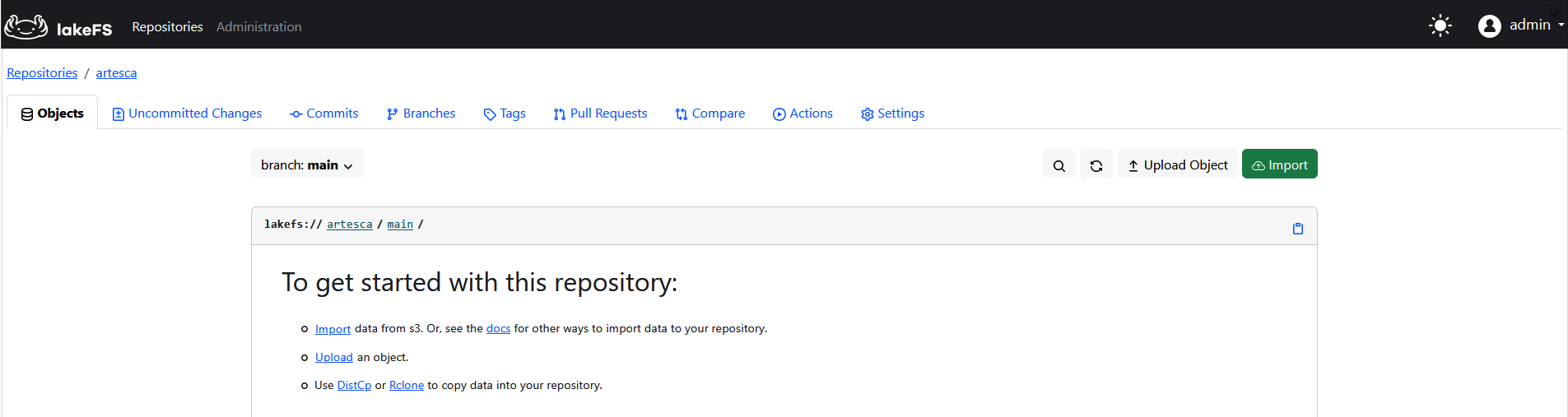
Click Create Repository.
Enter the following values:
Repository name:
artescaStorage namespace:
s3://s3lakeDefault branch:
main
Click Create Repository. If the credentials and certificate are correct, LakeFS creates the repository successfully.
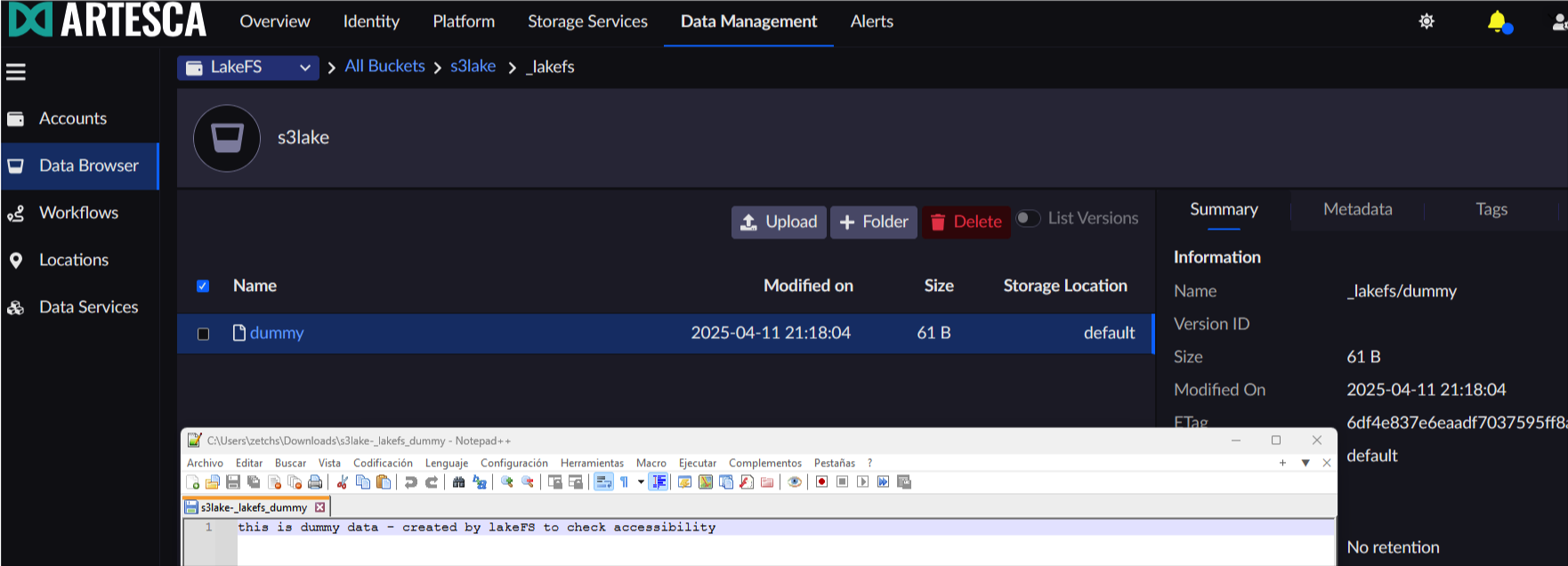
Navigate to the ARTESCA Data Browser and confirm the
s3lakebucket contains the_lakefs/dummyobject written by LakeFS during repository initialization.