TensorFlow
TensorFlow is an open-source machine learning framework developed by Google.
Integrate with ARTESCA
Create an account for TensorFlow.
Create a bucket to be used with TensorFlow.
Create an IAM user for TensorFlow.
Create an IAM policy to grant TensorFlow access to the S3 bucket and manage data.
Note
Replace
bucketnamewith your bucket’s name.{ "Version": "2012-10-17", "Statement": [ { "Effect": "Allow", "Action":[ "s3:PutObject", "s3:GetObject", "s3:ListBucket", "s3:GetBucketLocation" ], "Resource": "arn:aws:s3:::bucketname/*" } ] }
Install ARTESCA Root Certificate
Retrieve the CA Certificate to download ARTESCA’s root certificate.
Upload
artesca-ca.pemto the TensorFlow host, and export this environment variable.export AWS_CA_BUNDLE=/path/to/your/artesca-ca.pem
Install TensorFlow
sudo dnf install pip
pip install boto3 numpy pandas tensorflow
Start TensorFlow
Tip
Load the python code into a python shell to run.
Load modules and variables.
Note
Replace the placeholder key values with your actual credentials and S3 details.
import boto3
import pandas as pd
import tensorflow as tf
from io import StringIO
import os
import numpy as np

filename = 'tf_model.keras'

# Replace with your actual credentials and S3 details
AWS_ACCESS_KEY = "<your-access-key>"
AWS_SECRET_KEY = "<your-secret-key>"
BUCKET_NAME = "tensorflow-bucket"
Create an S3 client.
s3 = boto3.client('s3',
                  aws_access_key_id=AWS_ACCESS_KEY,
                  aws_secret_access_key=AWS_SECRET_KEY,
                  endpoint_url=S3_ENDPOINT_URL,
                  region_name=REGION)
Create a sample CSV and upload to ARTESCA S3.
def upload_sample_data(row_count=1_000_000):
    # Generate synthetic data
    feature1 = np.random.randint(0, 100, size=row_count)
    feature2 = np.random.randint(0, 1000, size=row_count)
    label = np.random.randint(0, 2, size=row_count)  # Binary labels: 0 or 1

    df = pd.DataFrame({
        'feature1': feature1,
        'feature2': feature2,
        'label': label
    })

    # Convert DataFrame to CSV buffer
    csv_buffer = StringIO()
    df.to_csv(csv_buffer, index=False)

    # Upload to S3
    s3.put_object(Bucket=BUCKET_NAME, Key=OBJECT_KEY, Body=csv_buffer.getvalue())
    print(f"✅ Uploaded {row_count:,} rows of synthetic data to S3 as '{OBJECT_KEY}'")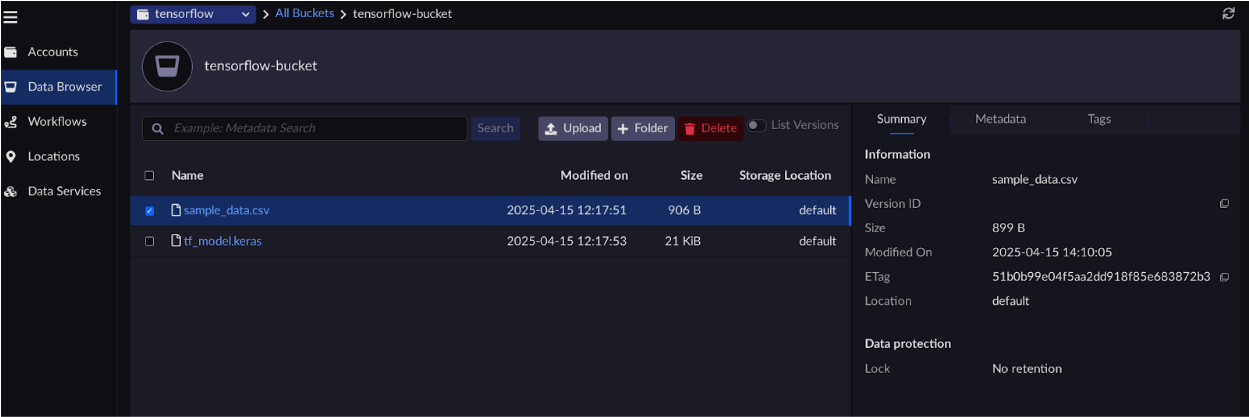
Read CSV from S3 and prepare tf.data.Dataset
def load_data_from_s3():
    response = s3.get_object(Bucket=BUCKET_NAME, Key=OBJECT_KEY)
    csv_content = response['Body'].read().decode('utf-8')

    df = pd.read_csv(StringIO(csv_content))

    # Convert to tf.data.Dataset
    features = df[['feature1', 'feature2']].values
    labels = df['label'].values

    dataset = tf.data.Dataset.from_tensor_slices((features, labels))
    dataset = dataset.shuffle(buffer_size=5).batch(2)
    return dataset
Create a simple TensorFlow model and upload to ARTESCA.
def train_model(dataset):
    model = tf.keras.Sequential([
        tf.keras.layers.Dense(10, activation='relu', input_shape=(2,)),
        tf.keras.layers.Dense(1, activation='sigmoid')
    ])
    model.compile(optimizer='adam', loss='binary_crossentropy', metrics=['accuracy'])
    model.fit(dataset, epochs=5)
    model_save_path = os.path.join('/tmp', filename)
    model.save(model_save_path)
    # Upload to S3
    model_key = '/tmp/tf_model.keras'
    with open(model_key, 'rb') as f:
        s3.upload_fileobj(f, BUCKET_NAME, filename)
    print(f"✅ Model uploaded to S3 at s3://{BUCKET_NAME}/{filename}")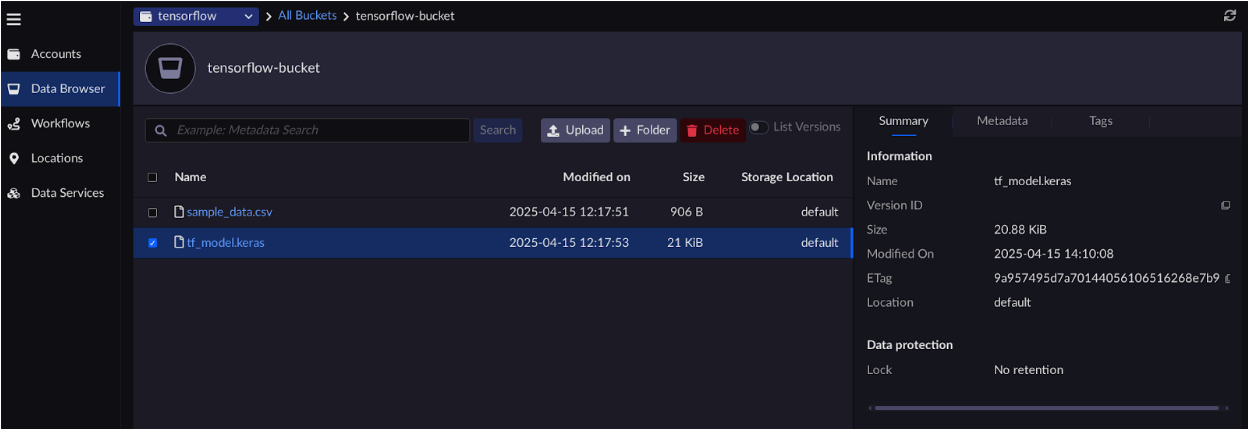
Download the model.
def download_and_load_model():
    # Download model archive
    archive_path = '/tmp/tf_model.keras'
    with open(archive_path, 'wb') as f:
        s3.download_fileobj(BUCKET_NAME, filename, f)
    # Load the model
    model = tf.keras.models.load_model(archive_path)
    print("✅ Model loaded from S3.")
    return model
Run the main function.
# Run the workflow
if __name__ == "__main__":
    upload_sample_data()
    dataset = load_data_from_s3()
    train_model(dataset)
    download_and_load_model()
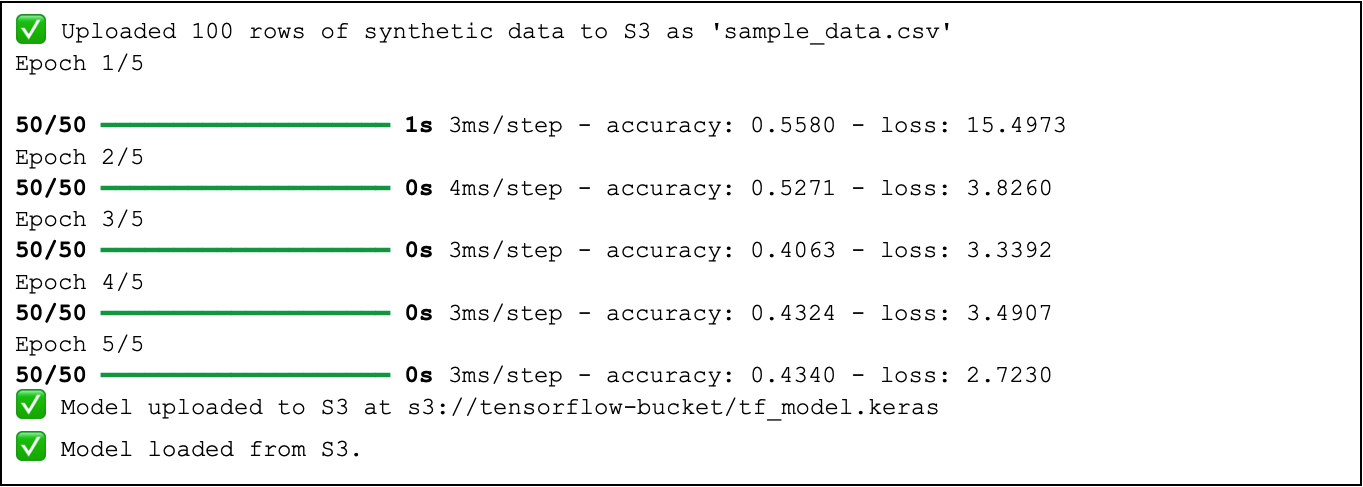
After running the workflow, the expected output is as follows: