Data Version Control
Data Version Control (DVC) is a versioning and data management tool for machine learning and data science projects. It brings Git-like control to datasets and models, enabling reproducible experiments and collaborative workflows.
Prerequisites
An active Linux server running on Ubuntu 24.04 or similar.
Prepare ARTESCA
Create an Account for DVC.
Create two buckets (one source and one destination) to be used with DVC.
Create IAM Users for DVC.
Create an IAM policy to grant DVC access to both S3 buckets and manage data.
To ensure your script has the necessary permissions without being overly permissive, apply the following
JSONpolicy to the user or role associated with your access keys in the ARTESCA management interface.This policy allows reading from, and writing to the source bucket (
s3dvc) and destination bucket (s3dvc2).Note
Replace
s3dvcands3dvc2with the actual names of your buckets in the policy below.{ "Version": "2012-10-17", "Statement": [ { "Sid": "DVCAccessPolicy", "Effect": "Allow", "Action": [ "s3:ListBucket", "s3:GetBucketLocation" ], "Resource": [ "arn:aws:s3:::s3dvc", "arn:aws:s3:::s3dvc2" ] }, { "Sid": "DVCObjectAccessPolicy", "Effect": "Allow", "Action": [ "s3:PutObject", "s3:GetObject", "s3:DeleteObject" ], "Resource": [ "arn:aws:s3:::s3dvc/*", "arn:aws:s3:::s3dvc2/*" ] } ] }
Install Certificates
Refer to this procedure to download the CA Root certificate.
Refer to this procedure to import the certificate.
Integrate DVC with ARTESCA
Apply the following steps to an active Linux server with access to the ARTESCA instance.
Update package lists and install system dependencies.
sudo apt update
sudo apt install git python3 python3-pip python3-venv -y
Create and activate a Python virtual environment to avoid system conflicts.
python3 -m venv dvc-env
source dvc-env/bin/activate
Install DVC with S3 support and pandas.
pip install "dvc[s3]" pandas
Initialize the Git and DVC repositories in your project directory.
git init
dvc init
Configure DVC remotes for the source and destination buckets.
Use the
--localflag to secure credentials.Note
Replace placeholders with your actual endpoint URL and access keys.
# --- Source Remote (s3dvc) ---
dvc remote add artesca_source s3://s3dvc
dvc remote modify artesca_source endpointurl https://s3.my-company.com
dvc remote modify artesca_source access_key_id YOUR_ACCESS_KEY_HERE --local
dvc remote modify artesca_source secret_access_key YOUR_SECRET_KEY_HERE --local

# --- Destination Remote (s3dvc2) ---
dvc remote add -d artesca_destination s3://s3dvc2
dvc remote modify artesca_destination endpointurl https://s3.my-company.com
dvc remote modify artesca_destination access_key_id YOUR_ACCESS_KEY_HERE --local
dvc remote modify artesca_destination secret_access_key YOUR_SECRET_KEY_HERE --local
Configure SSL verification for the remotes using your CA Root certificate.
Note
Replace
/path/to/your/artesca-ca.pemwith the actual path to the CA Root certificate.dvc remote modify artesca_source ssl_verify /path/to/your/artesca-ca.pem dvc remote modify artesca_destination ssl_verify /path/to/your/artesca-ca.pem
Ingest data manually using the AWS CLI to bypass dependency errors.
export AWS_CA_BUNDLE=/path/to/your/artesca-ca.pem
aws configure
aws s3 cp s3://s3dvc/ data/raw --endpoint-url https://s3.my-company.com --recursive
dvc add data/raw
Example of a terminal output after running the
dvc addcommand.
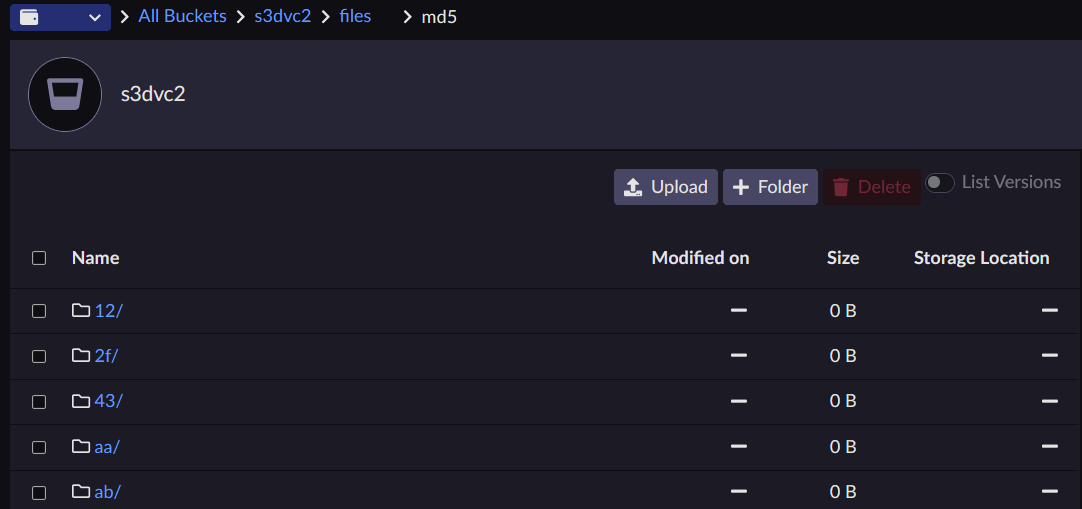
Example of the local directory structure after adding data with DVC.
Create a batch processing script.
Create a file named
src/process_directory.pyto iterate through CSV files and add a label column.import pandas as pd import argparse import os import glob def process_directory(input_dir, output_dir): """ Finds all CSV files in an input directory, adds a 'label' column to each, and saves the results to an output directory. """ os.makedirs(output_dir, exist_ok=True) search_path = os.path.join(input_dir, '*.csv') csv_files = glob.glob(search_path) if not csv_files: print(f"Warning: No CSV files found in {input_dir}") return print(f"Found {len(csv_files)} CSV files to process...") for input_path in csv_files: try: data_df = pd.read_csv(input_path) file_name = os.path.basename(input_path) label = "labeled_by_pipeline_on_" + pd.Timestamp.now().strftime('%Y-%m-%d') data_df['data_label'] = label output_filename = os.path.splitext(file_name)[0] + '_labeled.csv' output_path = os.path.join(output_dir, output_filename) data_df.to_csv(output_path, index=False) print(f" -> Processed '{file_name}' and saved to '{output_path}'") except Exception as e: print(f" -> Failed to process '{input_path}': {e}") print("Batch processing complete.") if __name__ == "__main__": parser = argparse.ArgumentParser(description="Label a directory of CSV files.") parser.add_argument("--input", required=True, help="Path to the input directory.") parser.add_argument("--output", required=True, help="Path to the output directory.") args = parser.parse_args() process_directory(args.input, args.output)Define the DVC pipeline.
Create a
dvc.yamlfile in the project root.stages: process_files: cmd: python src/process_directory.py --input data/raw --output data/processed deps: - src/process_directory.py - data/raw outs: - data/processedExecute the pipeline.
dvc repro
Add, commit, and push the results to the destination bucket.
git add .
git commit -m "Create and run batch data processing pipeline"
dvc push