Kubeflow
Kubeflow is a foundation of tools for AI platforms on Kubernetes. AI platform teams can build on top of Kubeflow by using each project independently, or deploying the entire AI reference platform to meet their specific needs. The Kubeflow AI reference platform is composable, modular, portable, scalable, and backed by an ecosystem of Kubernetes-native projects that cover every stage of the AI lifecycle.
Architecture
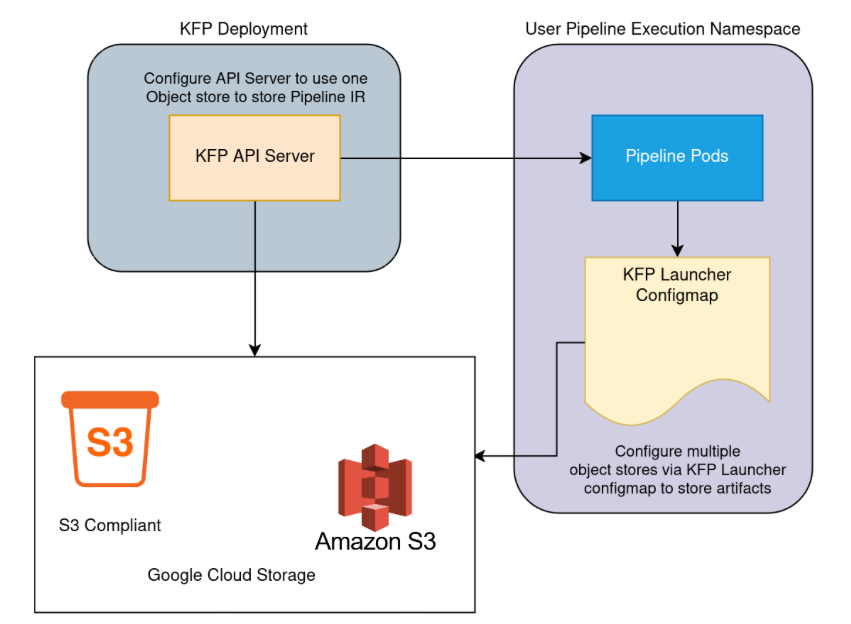
In Kubeflow Pipelines (KFP), there are two components that use object store:
KFP API Server
KFP Launcher (KFP executor)
The default object store that is shipped as part of the KFP is MinIO. However, you can configure a different object store provider with your KFP deployment.
The following diagram provides a simplified overview of how object storage is used and configured.
Prerequisites
Kubeflow is installed. Refer to the official Kubeflow repository for more information.
Tip
It is recommended to use the master branch.
Set Up S3 Resources for Kubeflow
Create an Account for Kubeflow.
Create a bucket to store data and models.
Create IAM Users for Kubeflow.
Note
Replace
bucketnamewith your bucket’s name.Warning
The following policy provides full access to the bucket. For production use, it is recommended to follow the principle of least privilege and only grant necessary permissions.
{
  "Version": "2012-10-17",
  "Statement": [
    {
      "Effect": "Allow",
      "Action": "s3:*",
      "Resource": "arn:aws:s3:::bucketname/*"
    }
  ]
}
Create an IAM policy to grant Kubeflow access to the S3 bucket.
Configure ARTESCA as the Default Repository for ml-pipelines
The namespace where the main configmaps and deployments are used is kubeflow.
Export kubeconfig.
kind get kubeconfig --name kubeflow > /tmp/kubeflow-config
export KUBECONFIG=/tmp/kubeflow-config
Create a secret in the namespace
kubeflowwith the ARTESCA credentials.export S3_ACCESS_KEY_ID="6JUH3SM8QFXDKUZPT4D9" export S3_SECRET_ACCESS_KEY="A4TOsN1lxZMneUz2PWZdduNWTL3aMBmltv/iRqZ7" export NAMESPACE="kubeflow" kubectl create secret generic artesca-credentials \ --namespace $NAMESPACE \ --from-literal=S3_ACCESS_KEY_ID=$S3_ACCESS_KEY_ID \ --from-literal=S3_SECRET_ACCESS_KEY=$S3_SECRET_ACCESS_KEY
Repeat this for every username namespace. By default Kubeflow uses
kubeflow-user-example-com.Edit the deployment configuration.
kubectl edit deployment ml-pipeline -n kubeflow
Set the environment variables for the ARTESCA credentials and endpoint.
spec:
  containers:
  - env:
    - name: OBJECTSTORECONFIG_HOST
      value: "s3.artesca-labs.com"
    - name: OBJECTSTORECONFIG_PORT
      value: "80"
    - name: OBJECTSTORECONFIG_REGION
      value: "us-east-1"
    - name: OBJECTSTORECONFIG_SECURE
      value: "true"
    - name: OBJECTSTORECONFIG_BUCKETNAME
      valueFrom:
        configMapKeyRef:
          key: bucketName
          name: pipeline-install-config
    - name: DBCONFIG_USER
      valueFrom:
        secretKeyRef:
          key: username
          name: mysql-secret
    - name: DBCONFIG_PASSWORD
      valueFrom:
        secretKeyRef:
          key: password
          name: mysql-secret
    - name: DBCONFIG_DBNAME
      valueFrom:
        configMapKeyRef:
          key: pipelineDb
          name: pipeline-install-config
    - name: DBCONFIG_HOST
      valueFrom:
        configMapKeyRef:
          key: dbHost
          name: pipeline-install-config
    - name: DBCONFIG_PORT
      valueFrom:
        configMapKeyRef:
          key: dbPort
          name: pipeline-install-config
    - name: DBCONFIG_CONMAXLIFETIME
      valueFrom:
        configMapKeyRef:
          key: ConMaxLifeTime
          name: pipeline-install-config
    - name: DB_DRIVER_NAME
      valueFrom:
        configMapKeyRef:
          key: dbType
          name: pipeline-install-config
    - name: DBCONFIG_MYSQLCONFIG_USER
      valueFrom:
        secretKeyRef:
          key: username
          name: mysql-secret
    - name: DBCONFIG_MYSQLCONFIG_PASSWORD
      valueFrom:
        secretKeyRef:
          key: password
          name: mysql-secret
    - name: DBCONFIG_MYSQLCONFIG_DBNAME
      valueFrom:
        configMapKeyRef:
          key: pipelineDb
          name: pipeline-install-config
    - name: DBCONFIG_MYSQLCONFIG_HOST
      valueFrom:
        configMapKeyRef:
          key: mysqlHost
          name: pipeline-install-config
    - name: DBCONFIG_MYSQLCONFIG_PORT
      valueFrom:
        configMapKeyRef:
          key: mysqlPort
          name: pipeline-install-config
    - name: OBJECTSTORECONFIG_ACCESSKEY
      valueFrom:
        secretKeyRef:
          key: S3_ACCESS_KEY_ID
          name: artesca-credentials
    - name: OBJECTSTORECONFIG_SECRETACCESSKEY
      valueFrom:
        secretKeyRef:
          key: S3_SECRET_ACCESS_KEY_ID
          name: artesca-credentials
Roll out the deployment.
kubectl rollout status deployment/ml-pipeline -n kubeflow
Access the Kubeflow interface.
Default user:
user@example.comPassword:
12341234
kubectl port-forward svc/istio-ingressgateway -n istio-system 8080:80 --address 0.0.0.0
Configure the kfp-launcher.
cat <<EOF | kubectl apply -f -
apiVersion: v1
data:
  defaultPipelineRoot: s3://mlpipeline
  providers: |-
    s3:
      default:
        endpoint: s3.artesca-labs.com:80
        disableSSL: true
        region: us-east-1
        credentials:
          fromEnv: false
          secretRef:
            secretName: artesca-credentials
            accessKeyKey: S3_ACCESS_KEY_ID
            secretKeyKey: S3_SECRET_ACCESS_KEY
kind: ConfigMap
metadata:
  name: kfp-launcher
  namespace: kubeflow-user-example-com
EOF
Test the Configuration
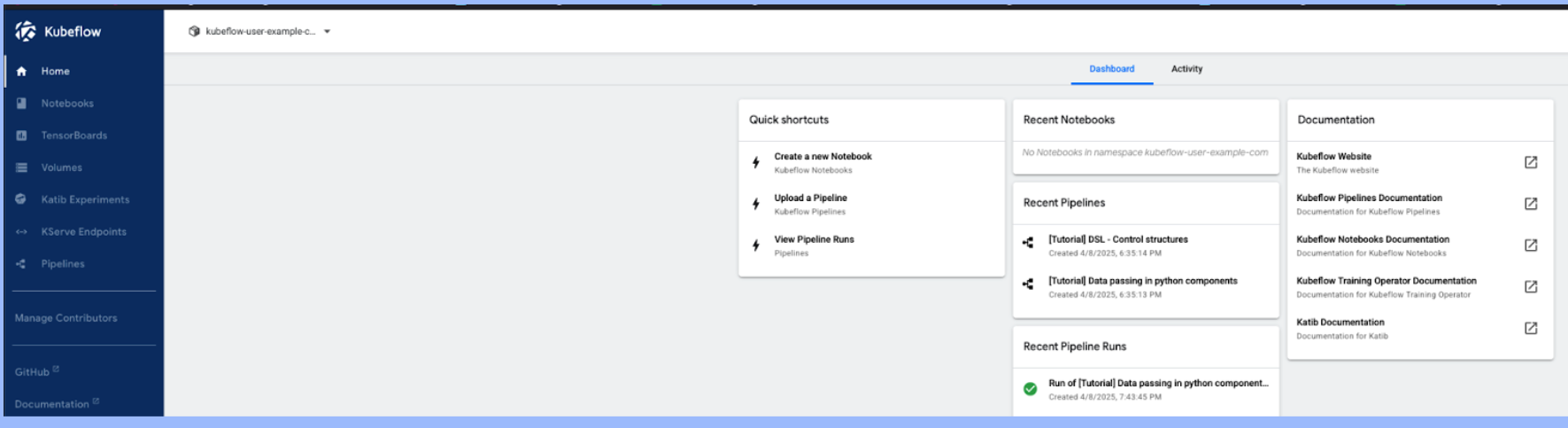
Test with one of the sample pipelines.
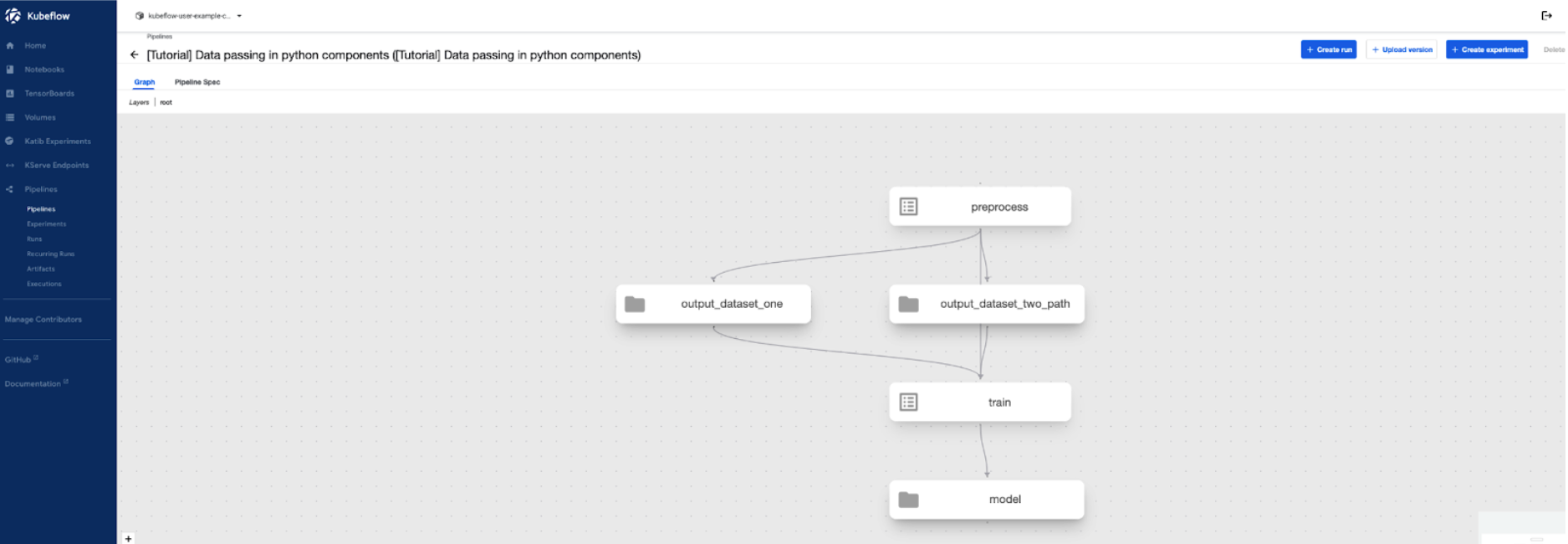
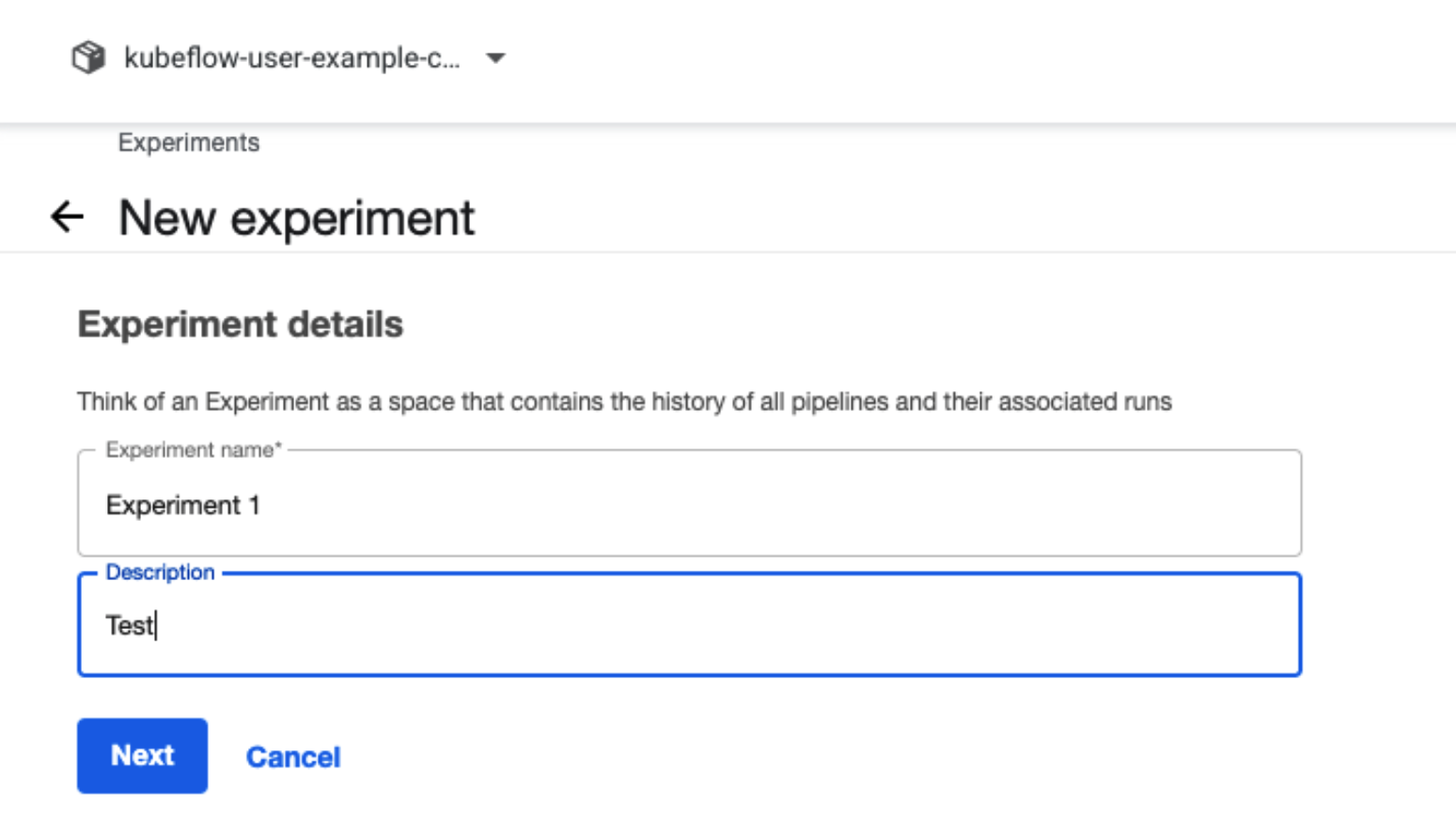
Create a new experiment.
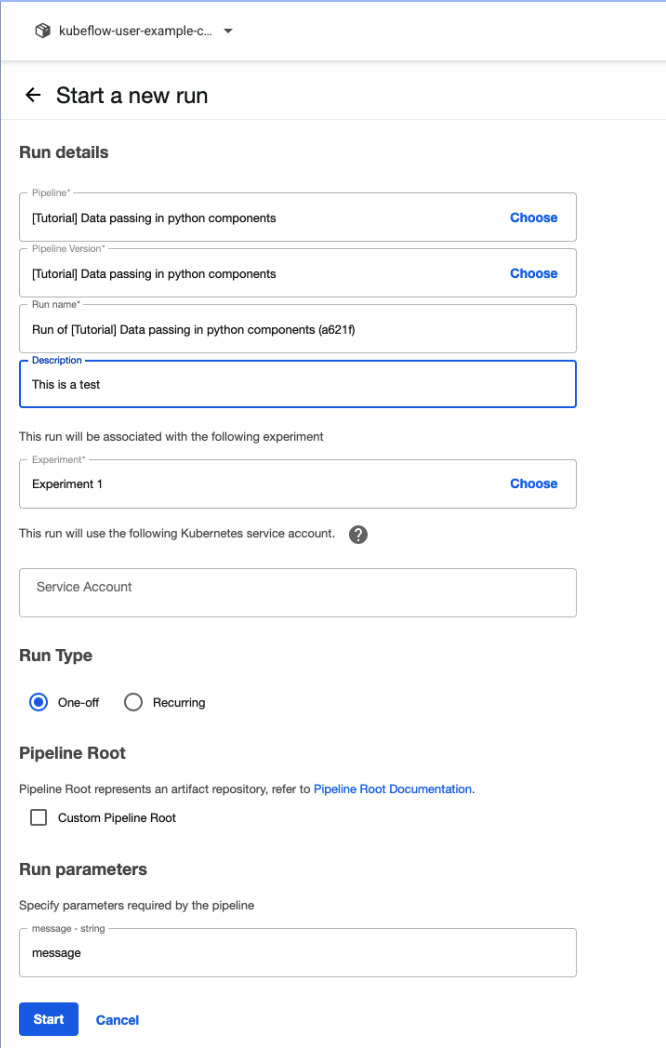
Create a new run.
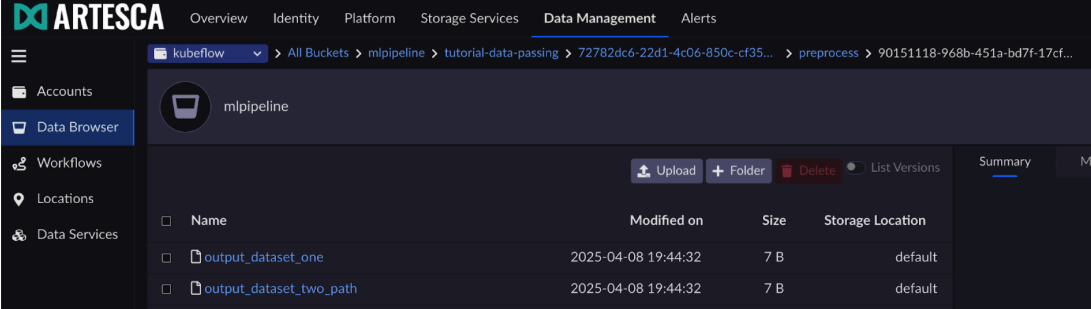
Check that these artifacts exist on ARTESCA.