

Volumes Monitoring
The Volumes tab allows you to monitor an individual volume. An ARTESCA volume is either a data drive or a Metadata volume hosted on the NVMe Service Disk.
Access the Volumes Tab
In the ARTESCA UI, open the Platform menu and select the Volumes tab. Click the Volume you want to monitor.
Monitoring Components
Overview
The Overview tab provides high-level information of the selected volume.
Alerts
The Alerts tab allows you to visualize all firing alerts concerning the volume you selected.
For more information on alerts, refer to Alert Management.
Metrics
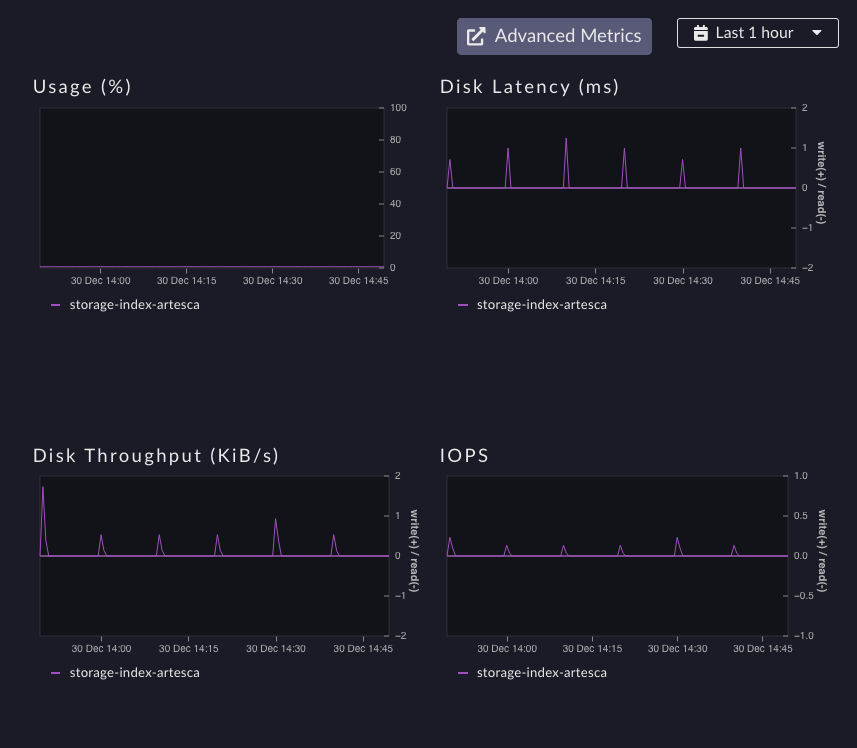
Metrics |
Description |
|---|---|
Usage |
Overview values per node over 1H 24H or 7D |
Disk Latency |
Overview values per node over 1H 24H or 7D |
Disk Throughput |
Overview values per node over 1H 24H or 7D |
IOPS |
Overview values per node over 1H 24H or 7D |
If the Usage metric is growing too fast, it can indicate an unhealthy service. An alert triggers when an index partition reaches 80% usage. A cluster-wide alert triggers when global data volumes exceed 80% utilization.
Important
When disk usage equals or exceeds 95%, write operations are refused if the
writeProtectionEnabled parameter is active. Starting from ARTESCA 4.3.0,
this parameter is automatically enabled at installation or upgrade when disk
utilization is below 95%. If utilization already equals or exceeds 95% at upgrade
time, the parameter is automatically enabled as soon as utilization drops back
below 95%.


