

Kafka Monitoring
Access the Kafka Dashboards
In Grafana, click Dashboards. Open the Data Services folder and click Kafka.
Monitoring Components
Cluster Health
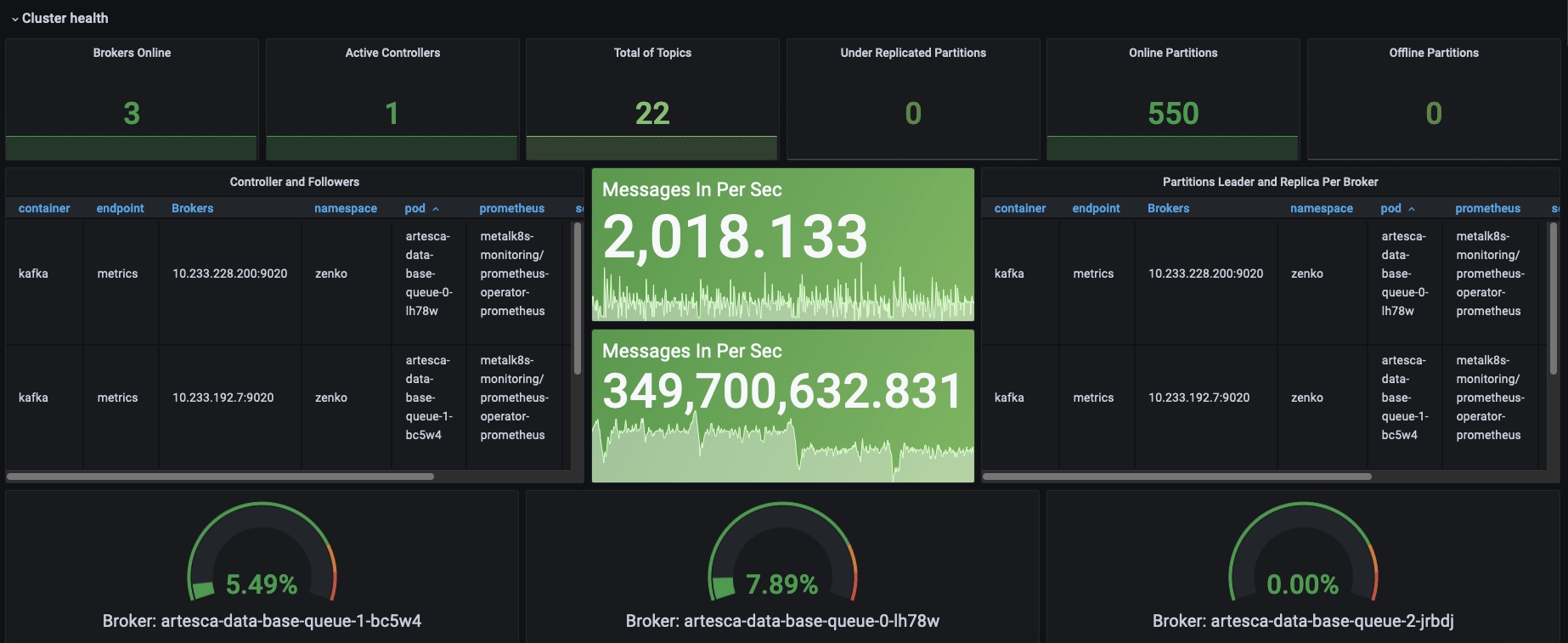
Metric |
Description |
|---|---|
Brokers Online |
Containers that run the Kafka queue: 1 on single-node, 3 on 3-nodes and 6-nodes cluster |
Active controllers |
Kafka queue controller: always 1 |
Total of Topics |
Number of queues (active or not, that includes default queues that could be not in use) |
Under replicated partitions |
Each topic has 4 or more partitions, they are replicated between each container, when not in sync, they would appear here |
Online Partitions |
Number of partitions that are ready to receive messages |
Offline Partitions |
Number of partitions that are not ready to receive messages |
Controller and followers |
Kafka components information per replica |
Partition leader and replica per broker |
Kafka partitions information per replica |
Broker gauges |
Network sockets usage percent per pod |
Request Handler and Latency
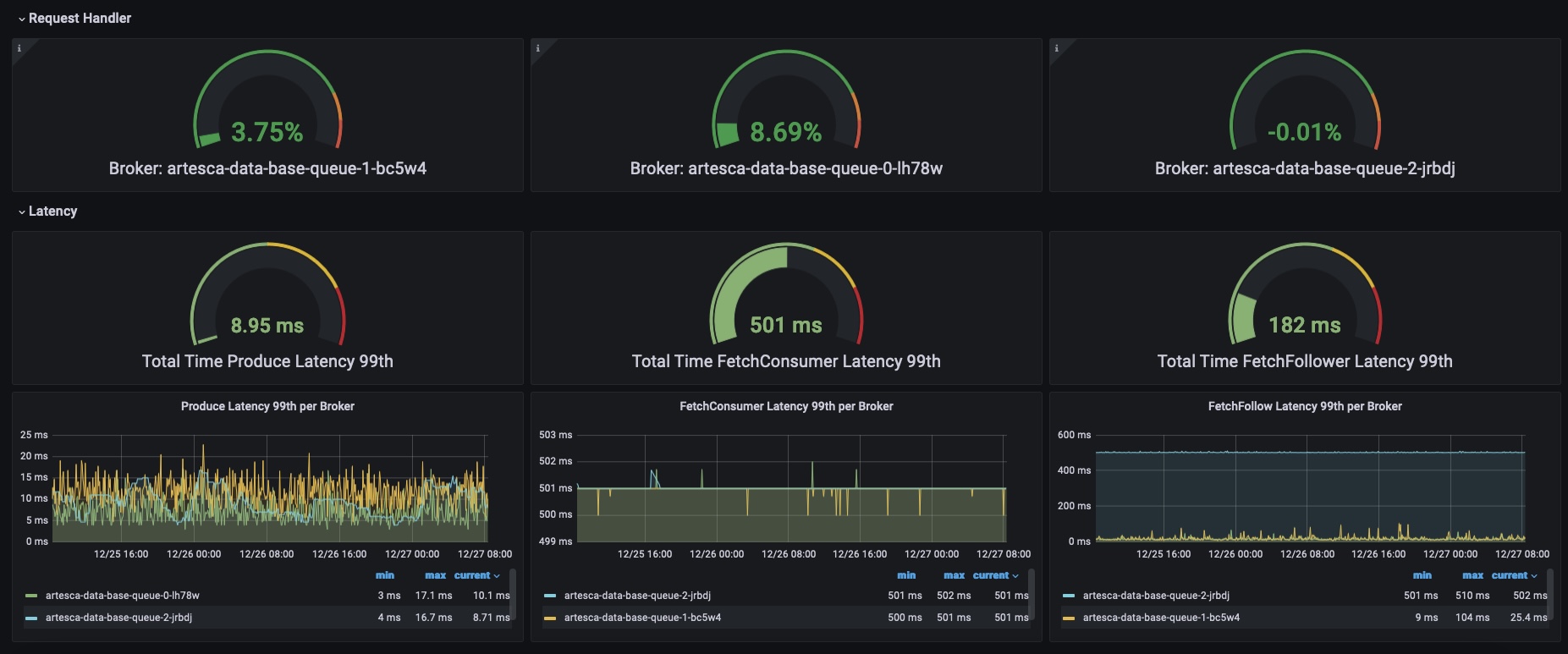
Metric |
Description |
|---|---|
Request Handle Gauges |
Kafka request handler percent usage |
Produce |
Add messages to queue |
FetchConsumer |
Process messages from queue |
FetchFollower |
Synchronize messages between queue replicas |
Throughput
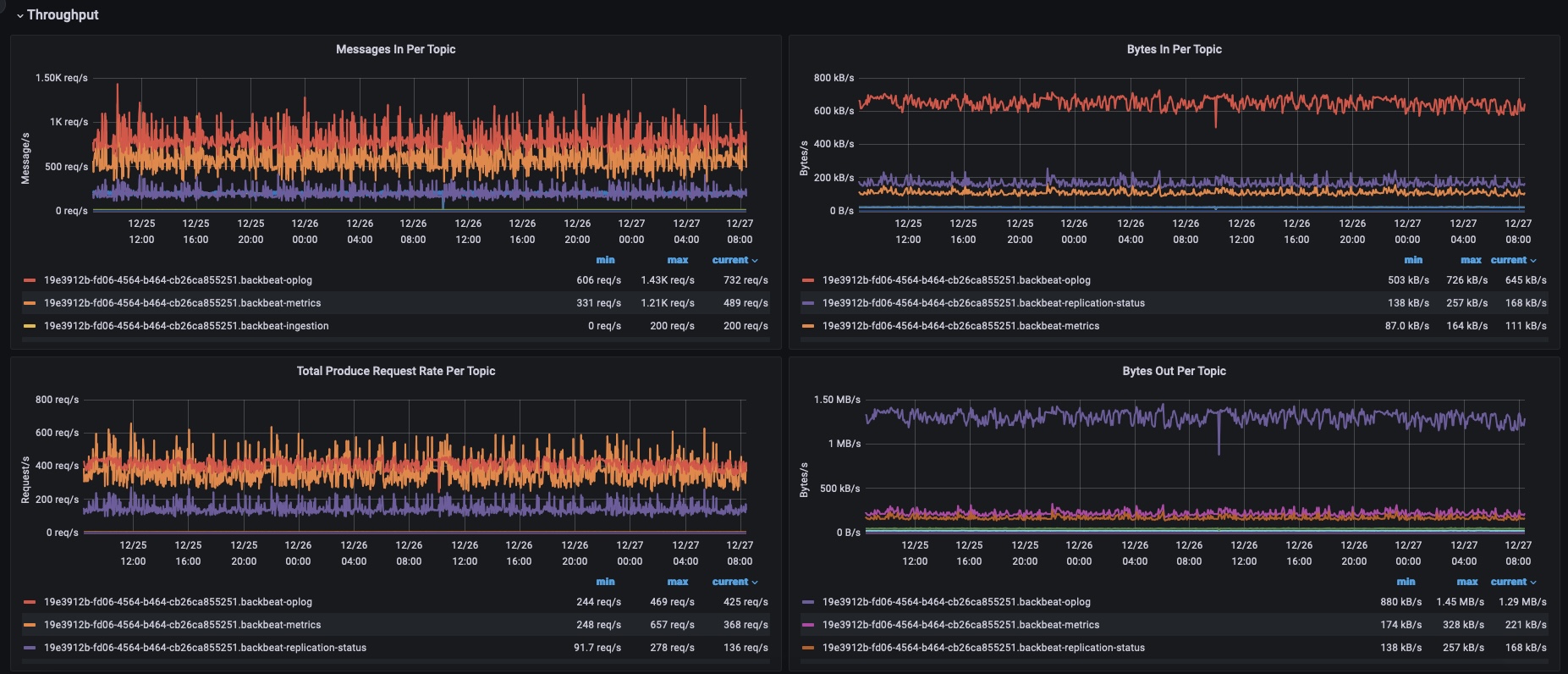

Metric |
Description |
|---|---|
Messages In per topic |
Total messages added per topic |
Bytes in per topic |
Added messages to queue in bytes |
Total Produce request rate |
Messages added rate (average) per topic |
Bytes out per topic |
Removed messages from queue (already processed and 7 days old metrics) in bytes |
Produce request per broker |
Request number per pod |
Bytes in/out per broker |
Request sizes per pod |
Consumer Group Lag
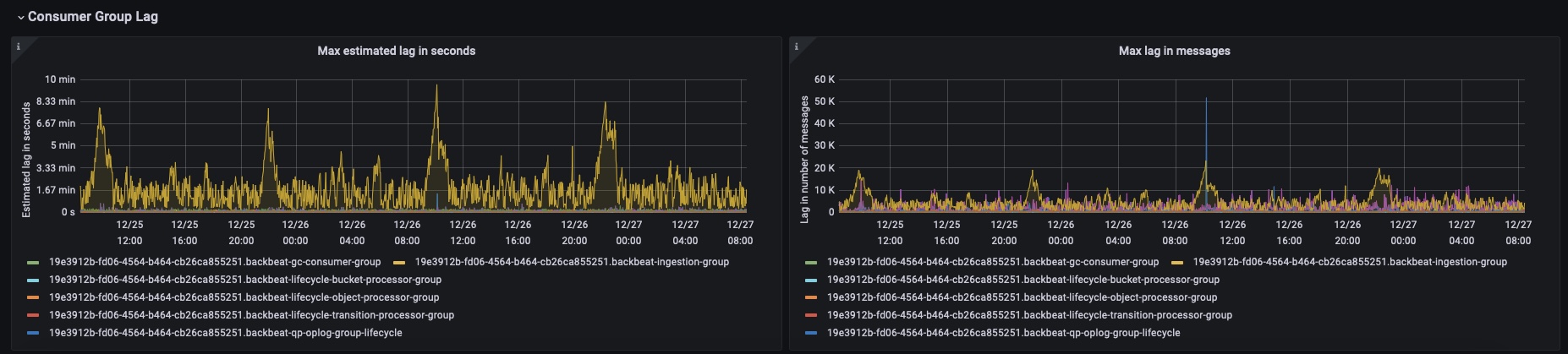
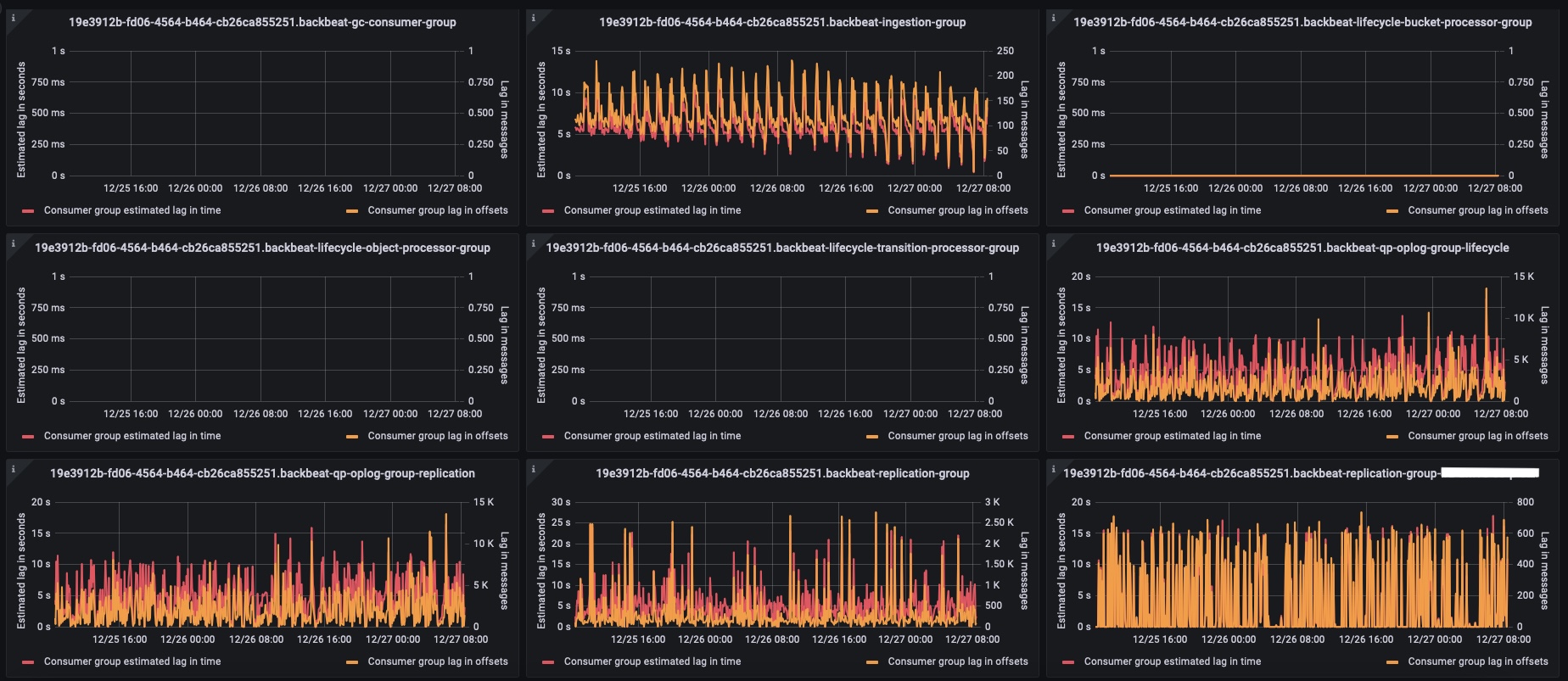
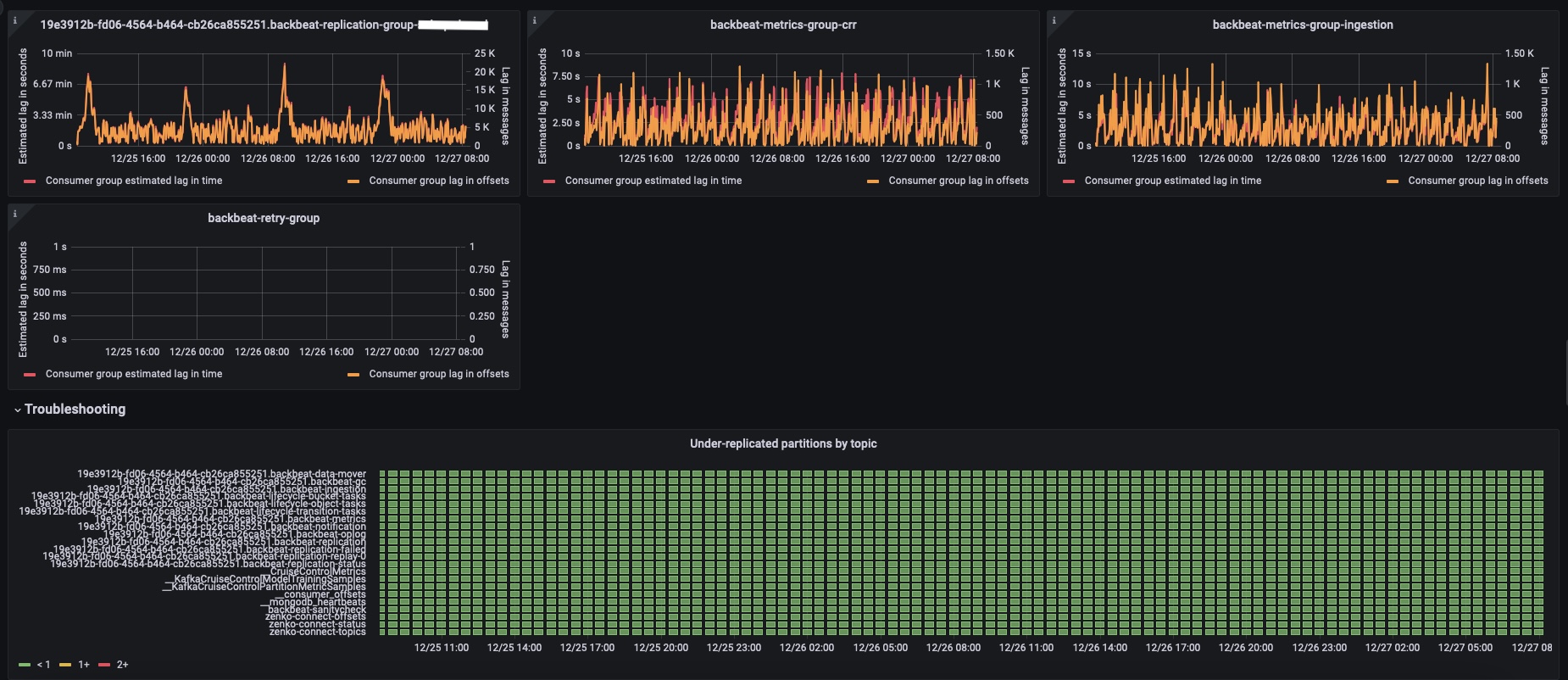
Metric |
Description |
|---|---|
Max estimated LAG in seconds |
How long it takes to finish dealing with current queue |
Max LAG in messages |
The current number of queued messages that need processing |
There is, per group, a panel of both active and inactive groups. Monitoring these two metrics is important to keep it under control.


