

Nodes Monitoring
The Nodes tab allows you to monitor an individual node.
Access the Nodes Tab
In the ARTESCA UI, open the Platform menu and select the Nodes tab. Click the node you want to monitor.
Monitoring Components
Overview
The Overview tab provides high-level information of the selected node.
Alerts
The Alerts tab allows you to vizualize all firing alerts concerning the node you selected.
For more information on alerts, refer to Alert Management.
Metrics
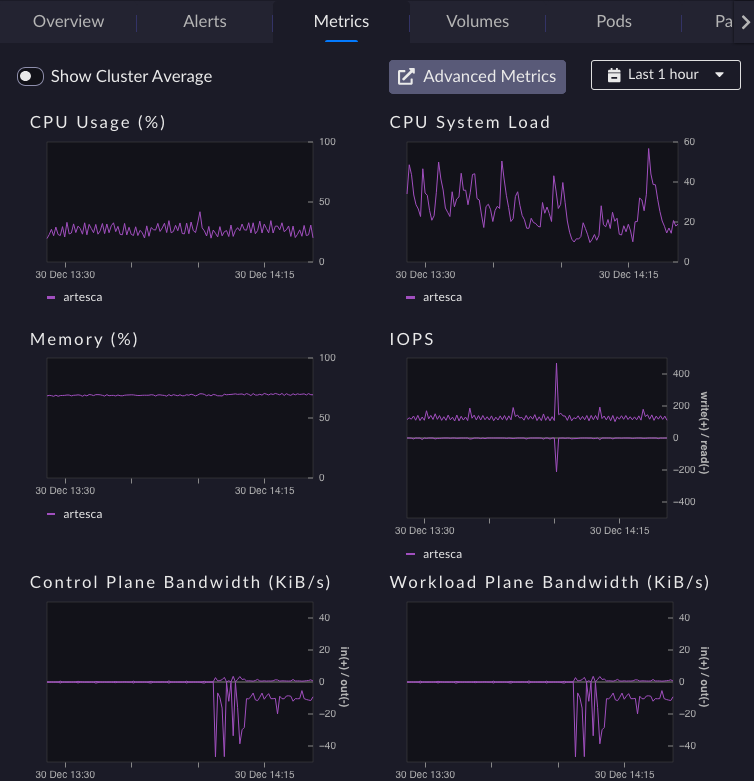
Metrics |
Description |
|---|---|
CPU Usage |
Overview values per node over 1H 24H or 7D |
Memory |
Overview values per node over 1H 24H or 7D |
ControlPlane Bandwidth |
Overview values per node over 1H 24H or 7D |
CPU System Load |
Overview values per node over 1H 24H or 7D |
IOPS |
Overview values per node over 1H 24H or 7D |
WorkloadPlane Bandwidth |
Overview values per node over 1H 24H or 7D |
Volumes, Pods, Partition
These tabs allow you to monitor the node’s current services status with insights on its health.
Important
A partition is not healthy if it is growing too fast, and/or its usage is too high. When the usage of an index partition reaches 80% an alert is triggered. If the ‘/’ partition utilization exceeds 80%, the system may become unstable.


