

Dashboard Monitoring
The Dashboard tab gives you an overall insight of your system’s health and performance. You can visualize the status of the different elements running on your platform at a high level.
Access the Platform dashboards
In the ARTESCA UI, open the Platform menu and select the Dashboard tab.
Monitoring Components
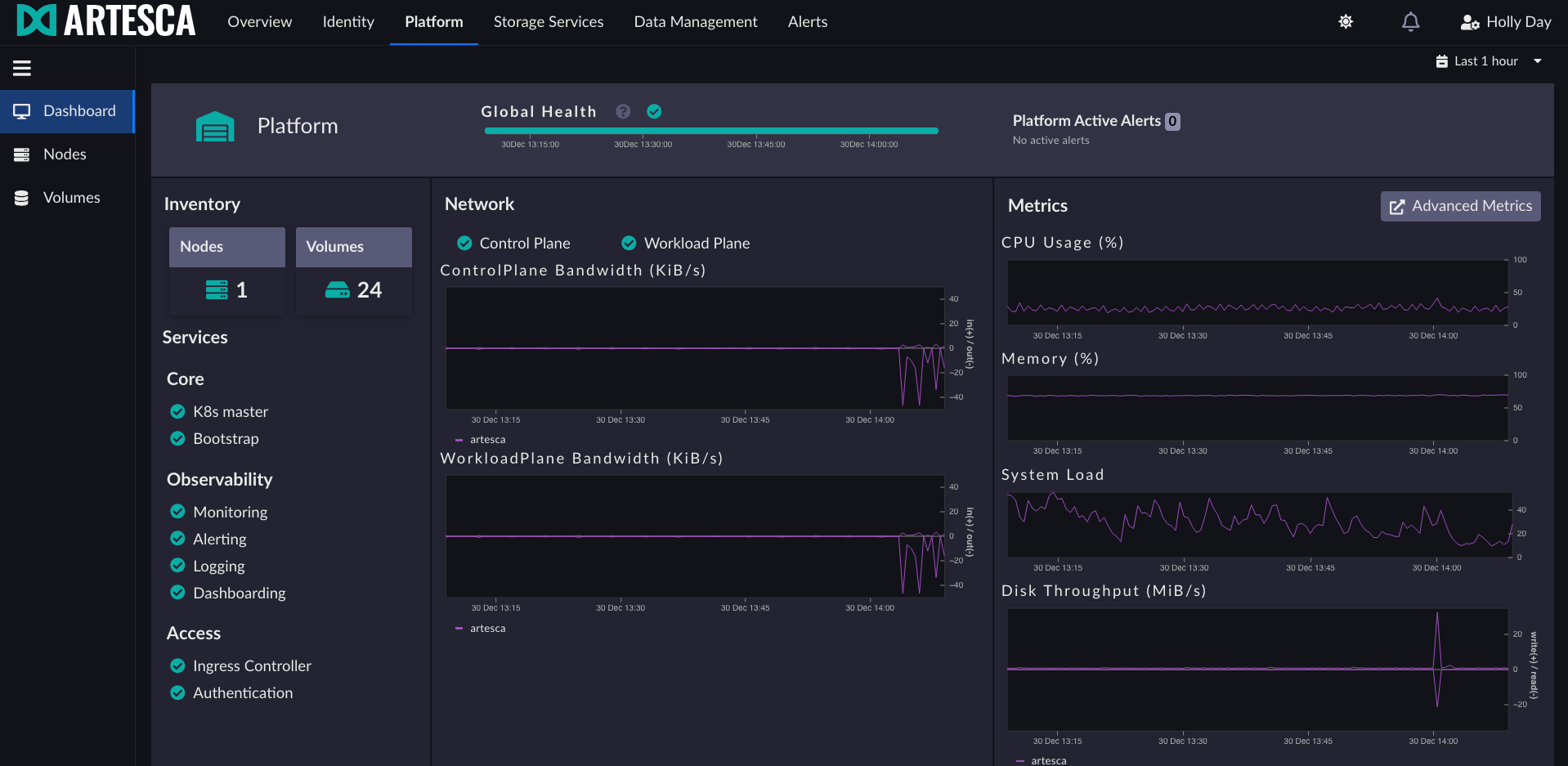
Metric |
Description |
|---|---|
ControlPlane Bandwidth |
Bytes in and out over time on the management network |
WorkloadPlane Bandwidth |
Bytes in and out over time on the data network |
CPU Usage |
Overview values per node over time |
Memory |
Overview values per node over time |
System Load |
Overview values per node over time |
Disk Throughput |
Overview values per node over time |
Cluster Capacity
Cluster capacity reflects the overall storage utilization of the cluster. Each storage group’s utilization is determined by the most occupied node within that group. The cluster’s overall utilization is then defined as the utilization of the least occupied storage group.
Alerts are raised when cluster utilization reaches 80% and 95%.
When cluster usage equals or exceeds 95%, write operations are refused if the
writeProtectionEnabled parameter is active. Starting from ARTESCA 4.3.0,
this parameter is automatically enabled at installation or upgrade when cluster
utilization is below 95%. If utilization already equals or exceeds 95% at upgrade
time, the parameter is automatically enabled as soon as utilization drops back
below 95%.


