

Cohesity CloudArchive
Important
This document covers Cohesity’s CloudArchive product only and does not include CloudArchive Direct.
Architecture
Cohesity CloudArchive integrates with ARTESCA over S3. Currently the following configuration is supported:
Deploy CloudArchive and ARTESCA on single site.
CloudArchive integration with ARTESCA over S3.
Archival workflow using incremental with periodic full in CloudArchive.
Incremental forever with periodic full with Archive Object Lock enabled in CloudArchive.
Prerequisites
CloudArchive is installed, this documentation is relevant to version CloudArchive 7.2.
ARTESCA root certificate is installed on Cohesity server
Note
Follow this procedure to ensure successful connection between ARTESCA and CloudArchive.
Best Practices
Cohesity handles object deletion in both cases, whether Archive Object Lock is enabled or disabled.
Lifecycle Expiration cannot be enabled with Cohesity Cloud Archive.
Limitations
CloudArchive and ARTESCA currently support S3 Object Lock only with incremental periodic full archival option.
Storage Profile
CloudArchive uploads objects to ARTESCA buckets with an average object size of 20MB.
Performance
Architecture |
Backup |
Restore |
|---|---|---|
1 Node |
Up to 8 TB/H |
Up to 6.5 TB/H |
3 Node |
Up to 12 TB/H |
Up to 10 TB/H |
6 Node |
Up to 18 TB/H |
Up to 15 TB/H |
Note
The performance numbers are applicable for HPE, SMC, or Dell standard configurations with spinners, and 25 Gbps networks.
Integration
Configure ARTESCA for CloudArchive
Create an Account for the CloudArchive.
Create a Bucket to be used with CloudArchive.
Create IAM Users for the CloudArchive.
Create an IAM policy to grant the CloudArchive access to the S3 bucket and manage data.
Note
Replace
bucketnamewith your buckets’s name.{ "Version": "2012-10-17", "Statement": [ { "Sid": "CohesityOLPolicy", "Effect": "Allow", "Action": [ "s3:GetObject", "s3:GetObjectRetention", "s3:DeleteObject", "s3:PutObject", "s3:ListBucket", "s3:GetBucketAcl", "s3:ListBucketMultipartUploads", "s3:GetBucketLocation", "s3:PutObjectRetention", "s3:GetBucketObjectLockConfiguration", "s3:DeleteObjectVersion", "s3:ListBucketVersions", "s3:GetBucketVersioning", "s3:ListMultipartUploadParts", "s3:AbortMultipartUpload" ], "Resource": [ "arn:aws:s3:::bucketname/*", "arn:aws:s3:::bucketname" ] }, { "Sid": "VisualEditor1", "Effect": "Allow", "Action": [ "s3:ListAllMyBuckets", "s3:ListBucket" ], "Resource": "*" } ] }{ "Version": "2012-10-17", "Statement": [ { "Sid": "CohesityPolicy", "Effect": "Allow", "Action": [ "s3:PutObject", "s3:GetObject", "s3:ListBucket", "s3:DeleteObject", "s3:GetBucketLocation", "s3:AbortMultipartUpload", "s3:ListMultipartUploadParts", "s3:ListBucketMultipartUploads", "s3:ListBucketVersions", "s3:RestoreObject", "s3:CreateBucket", "s3:GetBucketVersioning", "s3:GetObjectVersion", "s3:GetBucketAcl" ], "Resource": [ "arn:aws:s3:::bucketname/*", "arn:aws:s3:::bucketname" ] }, { "Sid": "CohesityListing", "Effect": "Allow", "Action": [ "s3:ListAllMyBuckets", "s3:ListBucket" ], "Resource": "*" } ] }Attach an IAM policy to the IAM user previously created.
Create Access Key and Secret Key for the IAM user.
Enable CloudArchive to Resolve ARTESCA S3 Endpoint
If the CloudArchive server cannot resolve the ARTESCA S3 endpoint when no DNS service is available in the environment, the following steps can be taken to resolve the ARTESCA S3 endpoint manually.
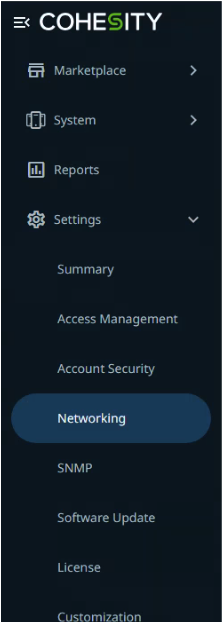
Navigate to Settings > Networking on the Cohesity UI.
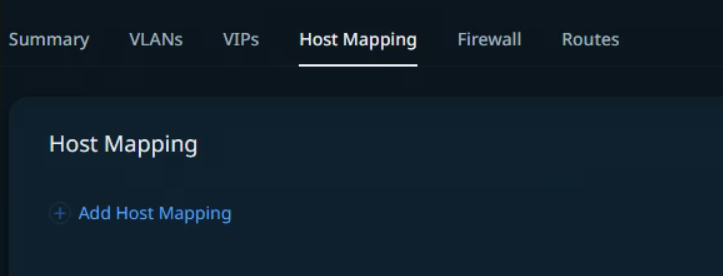
Select Host Mapping and click Add Host Mapping.
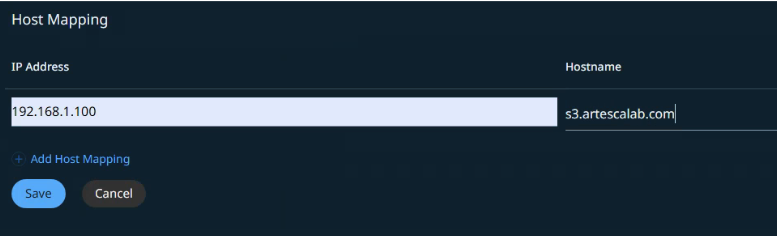
Enter the details for the ARTESCA node and click Save.
Configure ARTESCA as an External Target in CloudArchive
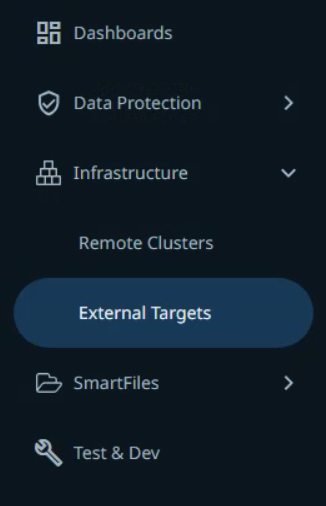
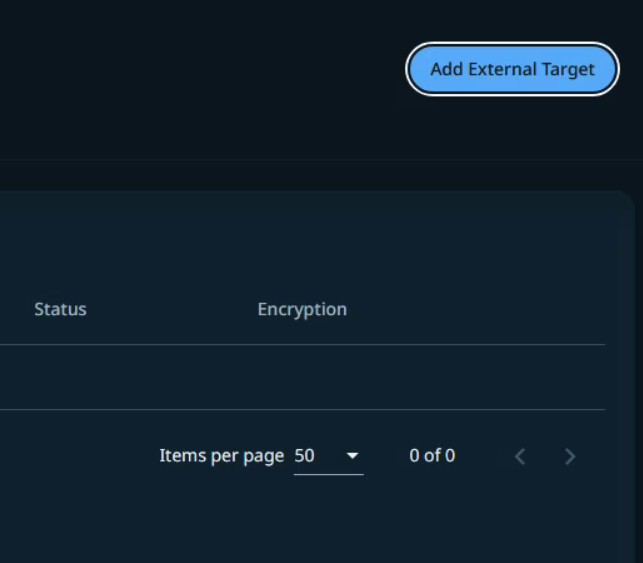
On the CloudArchive UI, on the side bar, navigate to Infrastructure > External Targets.
Click Add External Target.
Enter the details as follows:
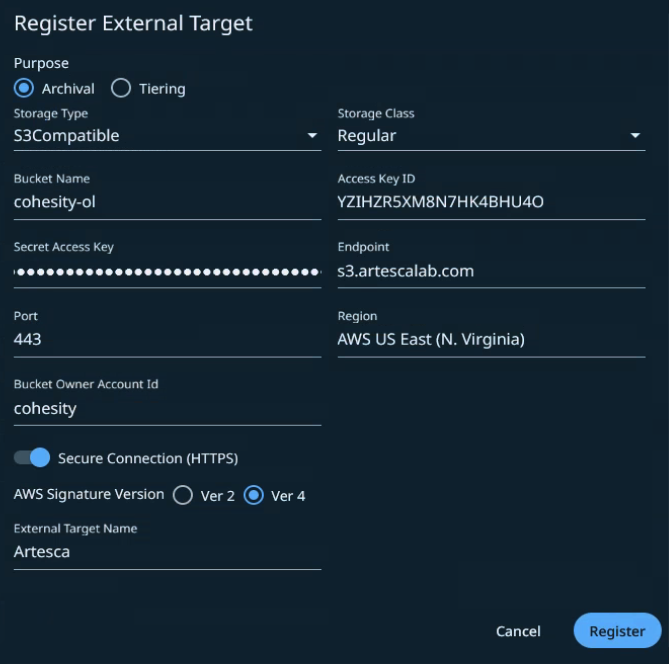
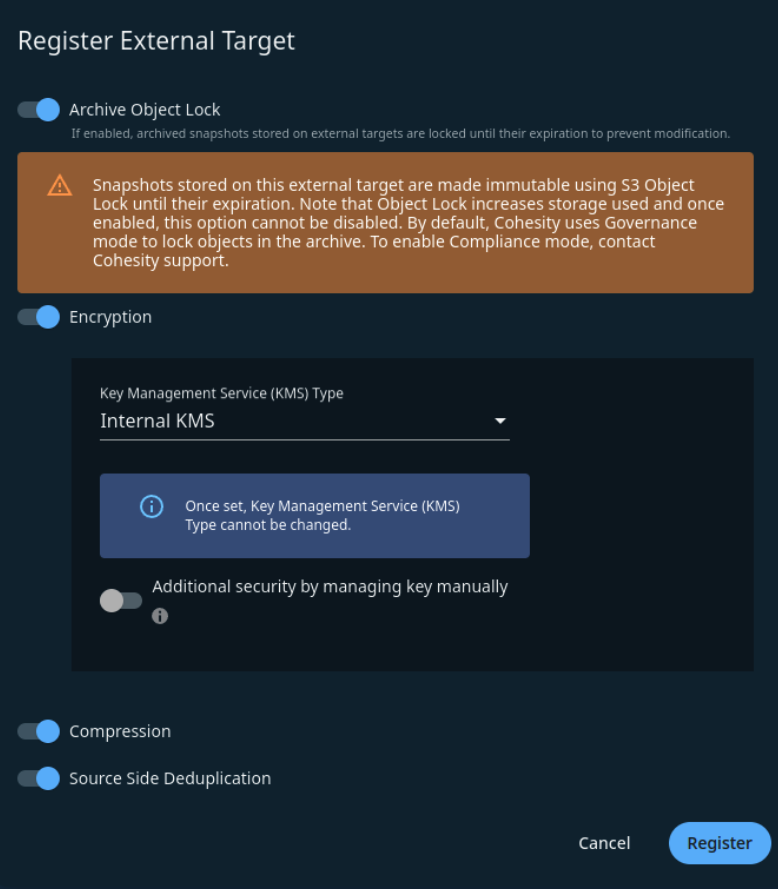
Scroll down and fill in the remaining fields.
Note
Encryption is an optional feature that encrypts data on CloudArchive before archiving data to the bucket.
Click Register. The target will show up on the list.


