

Zerto
Zerto is a continuous data protection (CDP) solution. Unlike traditional backup where recovery points are scheduled on an hourly/daily/monthly basis, CDP maintains a continuous journal of data modifications which makes it possible to restore a system to any previous point in time. Zerto achieves an RPO close to zero, typically lower than a few seconds.
The Zerto Journal can be stored locally and/or remotely depending on the desired benefits:
The local journal, stored on the main production site, protects against logical failures (e.g. unduly deleted file). It provides a continuous backup capability, allowing you to recover files, VMs, or applications locally with the granularity of seconds, ensuring minimal data loss in the event of an issue as well as rapid recovery. The local journal arguably replaces legacy backup requirements, but will have a limited history period, usually up to 2 weeks and no longer than 1 month.
The remote journal, stored on the remote DR site, is used for Disaster recovery scenarios. In case of a data-center loss, a recovery granularity of just seconds can be achieved. When stored remotely, the journal will usually be kept between 3 days and 8 days.
When recovering from a logical failure or a data-center failure, the goal of Zerto is to find a recovery point just a few seconds before the failure happened. In that sense it does not make a lot of sense to keep a very deep retention for the local and remote journals. Because a write to the journal happens every time the protected VMs modify their data, the journal needs to be stored on a fast storage, often a datastore located on the primary storage system itself (i.e. the primary storage of the VMs). Extending the retention period of the journal can significantly increase the overall storage costs. And in case the journal and the VMs are stored on the same storage system, it can become a single point of failure.
The Long-term retention feature uses the existing journal to keep data from any point in time for days, weeks, months, or even years. Zerto offloads point-in-time copies to secondary storage targets as often as you want without impacting production workloads. LTR targets include S3-compatible storage, Public-Cloud, NAS, as well as a selection of dedup appliances. LTR offers compression options for non-s targets.
Architecture

One Zerto Virtual Replication Appliance (VRA) is deployed for each Hypervisor host. One Zerto Virtual Manager (ZVM) is deployed for each VM Cluster (e.g. one in the local cluster, one in the remote cluster).
Using a Long-Term-Retention with Scality, Zerto users can:
Prevent undue deletion of recovery points and protect their infrastructure from ransomware attacks, enabling immutability
Keep the storage costs controlled by limiting the duration of the journal history
Comply with regulatory purposes, e.g. configuring a 1 year retention
Recover from older logical failures, by extending the retention from days to years
Secure the recovery points from a failure on the journal storage
Prerequisites
An account for the Zerto Application. Refer to Create an Account for more information.
Storage Profile
Zerto uploads objects to ARTESCA bucket with an average object size:
250MB when immutability is enabled.
4.5MB when immutability is not enabled.
ARTESCA Performance
Best Practices for Generic S3 Bench with 64 Workers 100% Read or 100% Write
Architecture for HPE, SMC, or Dell standard configurations with spinners and 25 Gbps network |
Object size 300 KB or below |
Object size 4 MB or higher |
|---|---|---|
Max operations per second |
Max bandwidth |
|
1 node |
Up to 2000 operations/s |
Up to 1 GB/s |
3 nodes |
Up to 3500 operations/s |
Up to 1.5 GB/s |
6 nodes |
Up to 5000 operations/s |
Up to 2 GB/s |
Best Practices
Compression levels on LTR
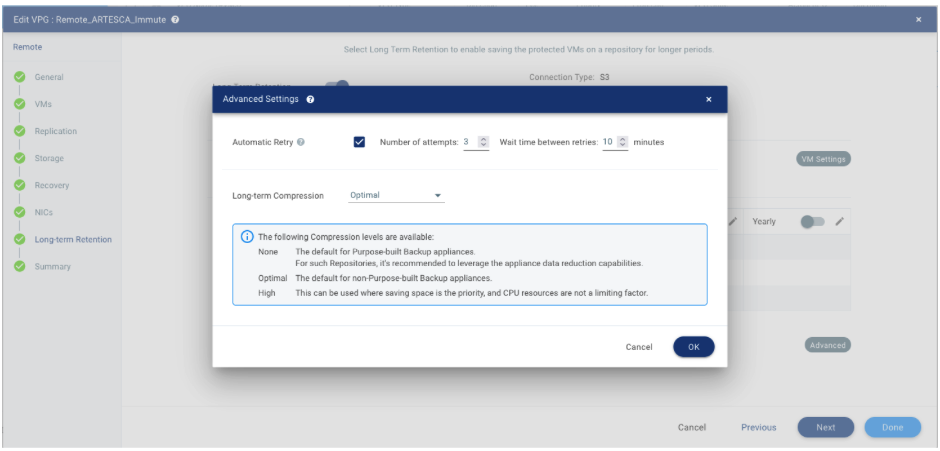
Three compression levels are available on LTR repositories. They are configurable in the Advanced section of the Long Term Retention configuration step of the VPG (Virtual Protected Group) configuration. Optimal is the default configuration for both RING and ARTESCA.
LTR Scheduling
The data is written to LTR once a day. By default, this task is scheduled at a time configured in the Long Term Retention configuration step of the VPG (Virtual Protected Group) configuration. The checkpoint stored in the LTR for that day will match the journal checkpoint for that date and time.

Configure ARTESCA for Zerto
Create an Account for the Zerto application.
Create a Bucket to be used with Zerto application.
Create an IAM user for the Zerto application.
Create an IAM policy to grant the Zerto application access to the S3 repository and manage data from an object repository.
{
    "Version": "2012-10-17",
    "Statement": [
        {
            "Sid": "VisualEditor0",
            "Effect": "Allow",
            "Action": [
                "s3:DeleteObjectVersion",
                "s3:ListBucketVersions",
                "s3:RestoreObject",
                "s3:DeleteBucketPolicy",
                "s3:GetBucketObjectLockConfiguration",
                "s3:PutObject",
                "s3:GetObjectAcl",
                "s3:GetObject",
                "s3:PutObjectRetention",
                "s3:DeleteObject",
                "s3:PutObjectAcl",
                "s3:GetObjectVersion"
            ],
            "Resource": [
                "arn:aws:s3:::bucketname",
                "arn:aws:s3:::bucketname/*"
            ]
        },
        {
            "Sid": "VisualEditor1",
            "Effect": "Allow",
            "Action": [
                "s3:ListAllMyBuckets",
                "s3:ListBucket"
            ],
            "Resource": "*"
        }
    ]
}
Note
Replace
bucketnamewith your bucket’s name.Attach the IAM policy to the IAM user previously created.
Zerto Integration Guide
Configure ARTESCA Repository for LTR (Long Term Retention) in Zerto without Immutability
Important
Bucket zerto-nolock has been created with no versioning, no objectLock, and no policy attached.
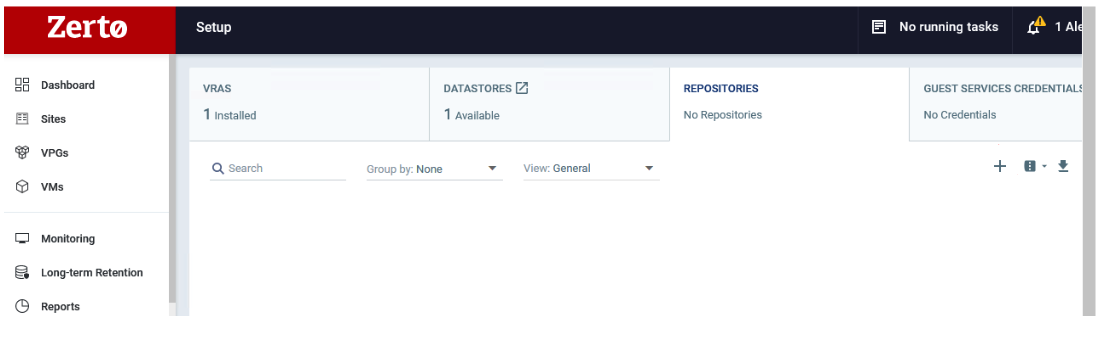
To create a new Zerto LTR Repository, choose the REPOSITORIES column, press the + icon.
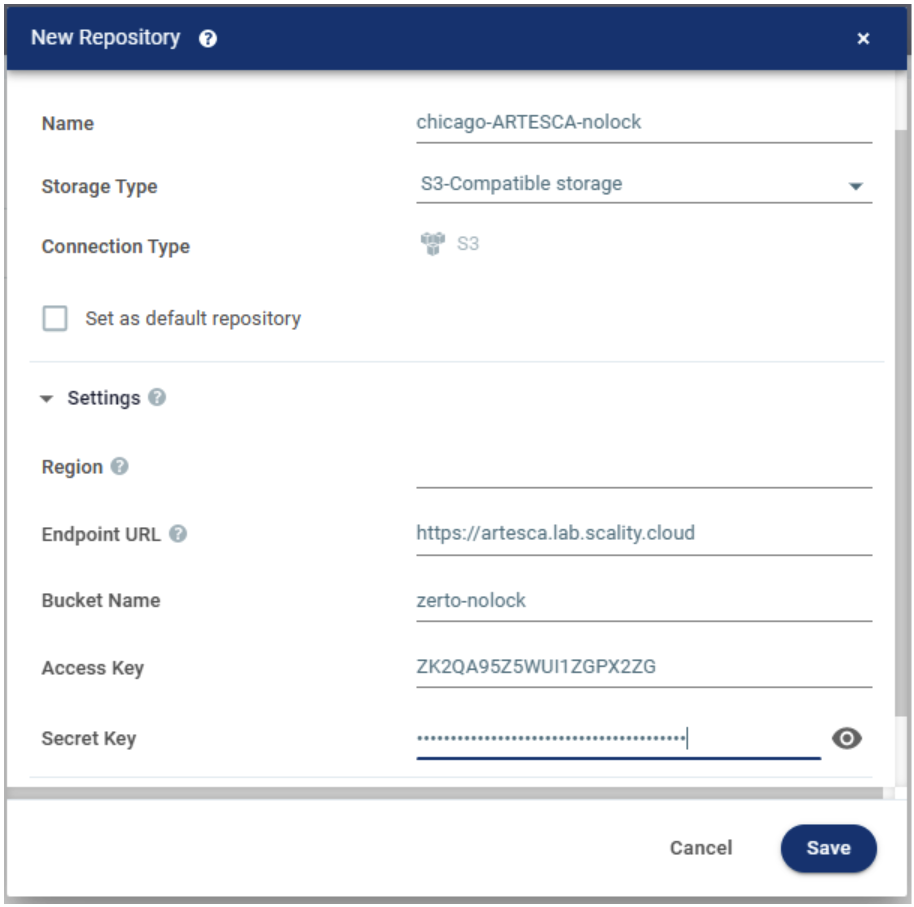
Fill in the Endpoint URL, Bucket Name, Access Key, and Secret Key fields.
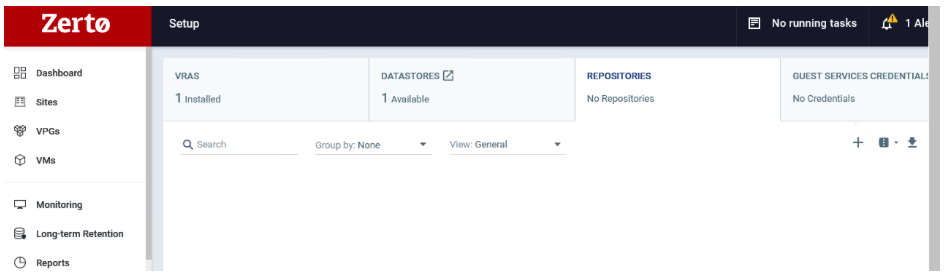
View the new repository with your chosen options.

Configure ARTESCA Repository for LTR (Long Term Retention) in Zerto with Immutability
Important
Bucket zerto-objectlock has been created with objectLock option enabled, and no default policy attached.
To create a new Zerto Immutable Repository, choose the REPOSITORIES column, press the + icon.
Fill in the Endpoint URL, Bucket Name, Access Key, and Secret Key fields.
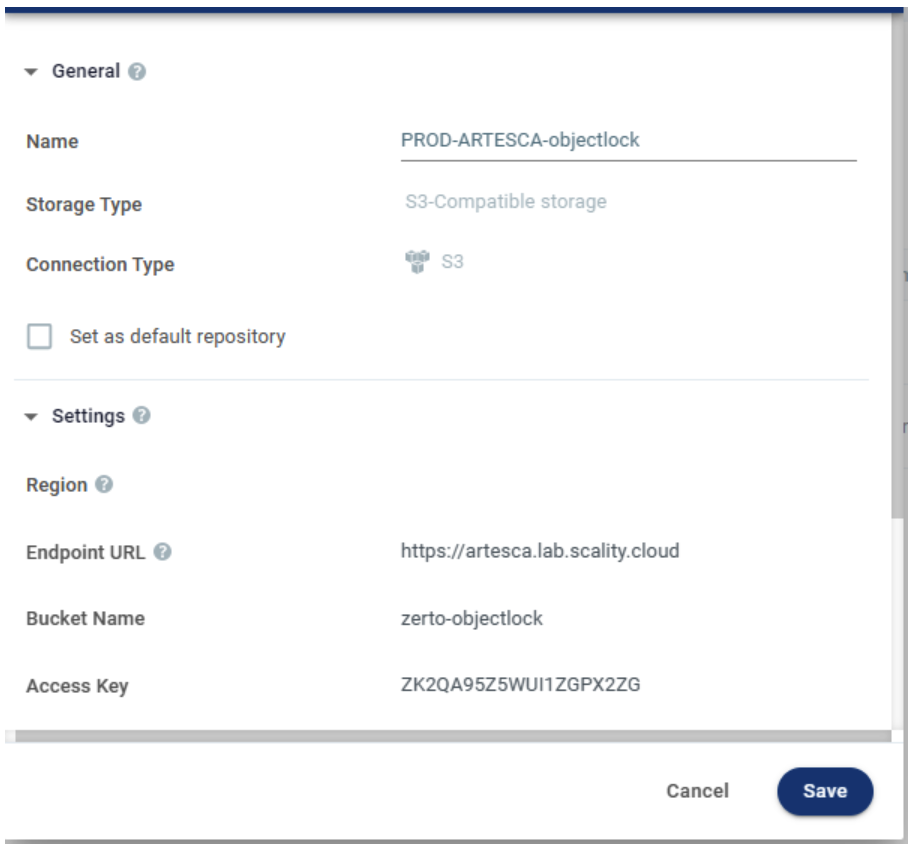
To enable Immutability, scroll down and expand the Immutability section. Choose the desired options for Immutability, click Save.
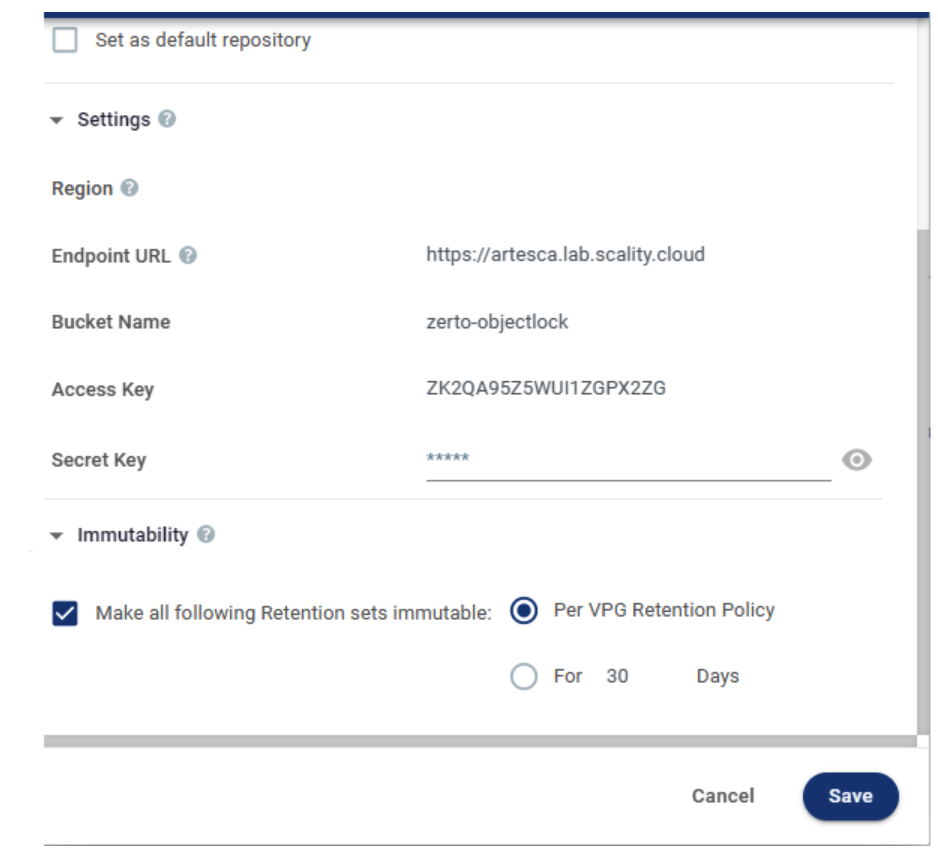
Under the Immutability column your chosen options are displayed.

Replicating Zerto LTR from the Local Site to the Remote Site
Customers who opt for a remote site for DR (Disaster Recovery) purposes can utilize Zerto’s replication capabilities to copy data from the local site to the remote site.
LTR data replication from a local site to a remote site is managed by Zerto. Replicating data using ARTESCA’s’ S3 replication capabilities is not supported.
To store LTR data to both the local site and the remote site:
Configure a Local Continuous Backup VPG (Virtual Protected Group).
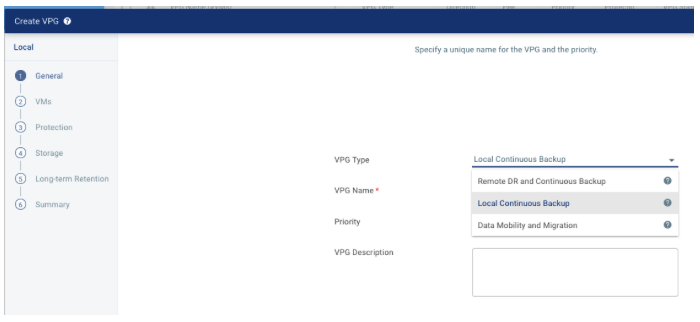
Select the configured local S3-Compatible storage as a target repository (
PROD-ARTESCA-objectlock).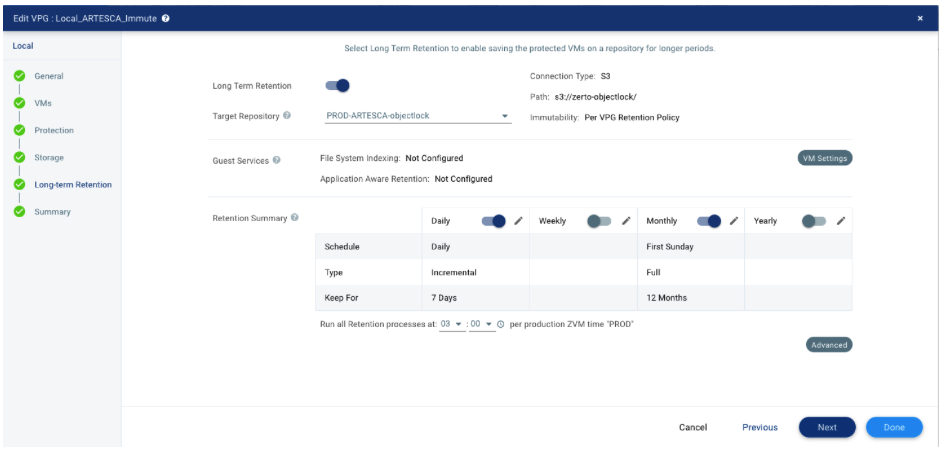
Configure a second VPG using the Remote DR and Continuous Backup option this time. Click Next.
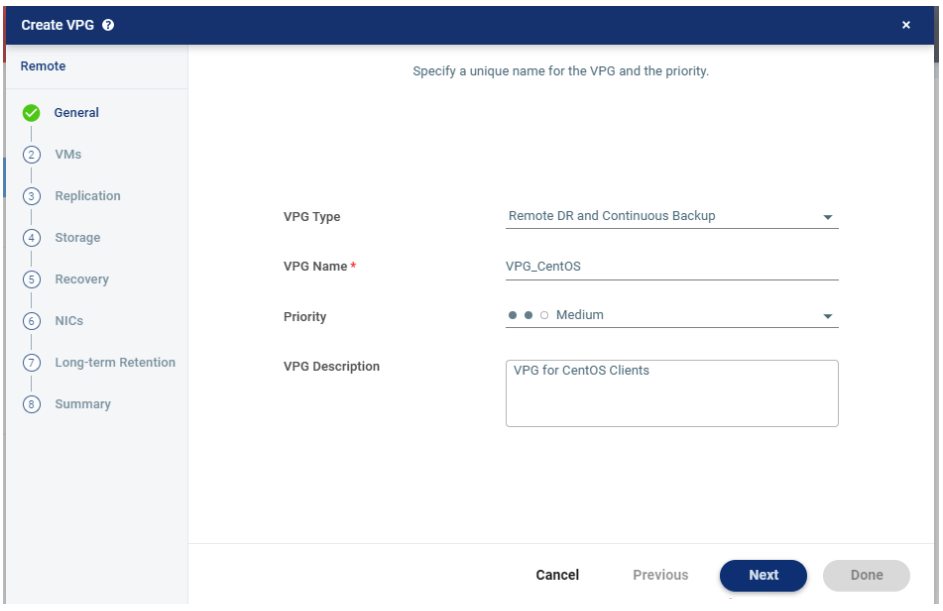
Select the configured remote S3-compatible storage as a target repository.
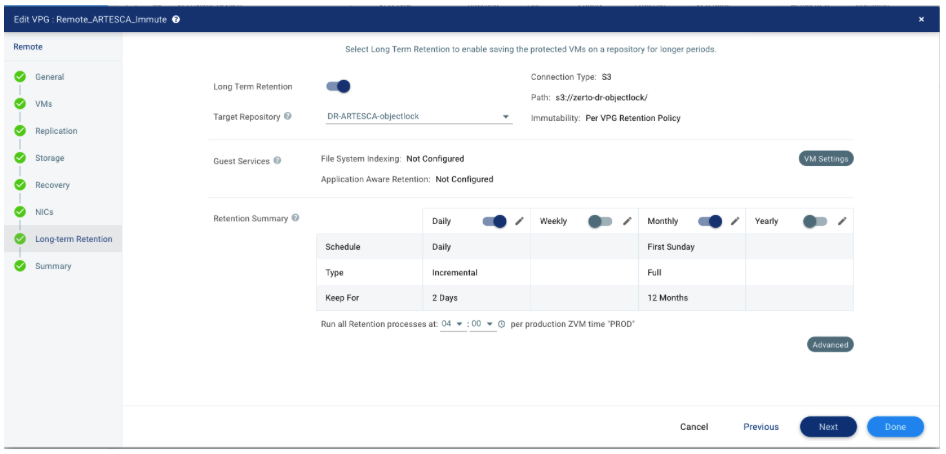
ARTESCA LTR Recommendations
Three compression levels are available on LTR repositories. They are configurable in the Advanced section of the Long Term Retention configuration step of the VPG (Virtual Protected Group) configuration. Optimal is the default configuration for both RING and ARTESCA.

Backup to Remote Immutable LTR
Start the VPG creation process.
Select VMs to protect.
Fill in the site information.
Enable Long Term Retention
Select the Target Repository.
Click Advanced to configure advanced settings for this repository.
Verify the summary and click Done.


