

Empty a Bucket
Use this procedure to delete all objects from a bucket.
Note
This procedure applies only to buckets that contain objects. If the bucket is already empty, no action is required.
To learn how to upload objects, refer to Upload Objects to Buckets.
From the main menu, choose Data Management. Click Data Browser from the side menu and select an account from the top drop-down list in the breadcrumb.

Select the bucket you want to empty by clicking anywhere on the row but the bucket name.
From the bucket Overview tab, click Empty Bucket.

The following entities are deleted:
All object versions (current and previous)
Orphan delete markers
Incomplete Multi-Part Uploads (MPUs) are not deleted.
Note
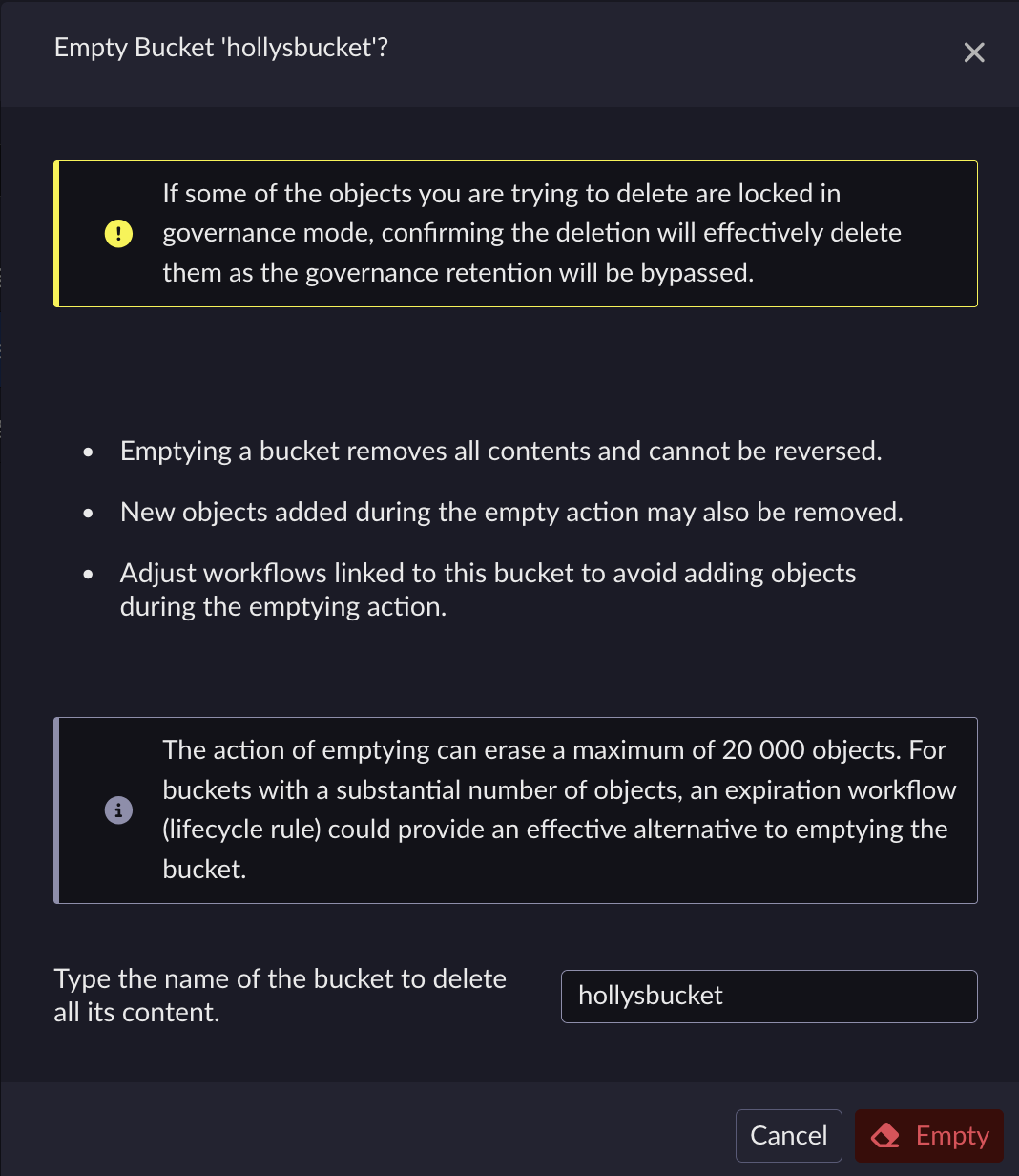
Only a maximum of 20 000 objects can be deleted in a bucket (at once). If you want to delete more than 20 000 objects, use the Expiration Workflow method. The global deletion using an Expiration Workflow has a minimum duration of one day.
On the Empty Bucket dialog box, type the name of the bucket to confirm the deletion, and click Empty.
Note
The dialog box remains open while the objects are being deleted.
Once the deletion is complete, a Summary dialog is displayed. Click Close.

The bucket is now empty.


