

List IAM Policies
This procedure lists all the managed policies that are available in your ARTESCA account.
Click Data Management on the top menu and select Accounts on the left.
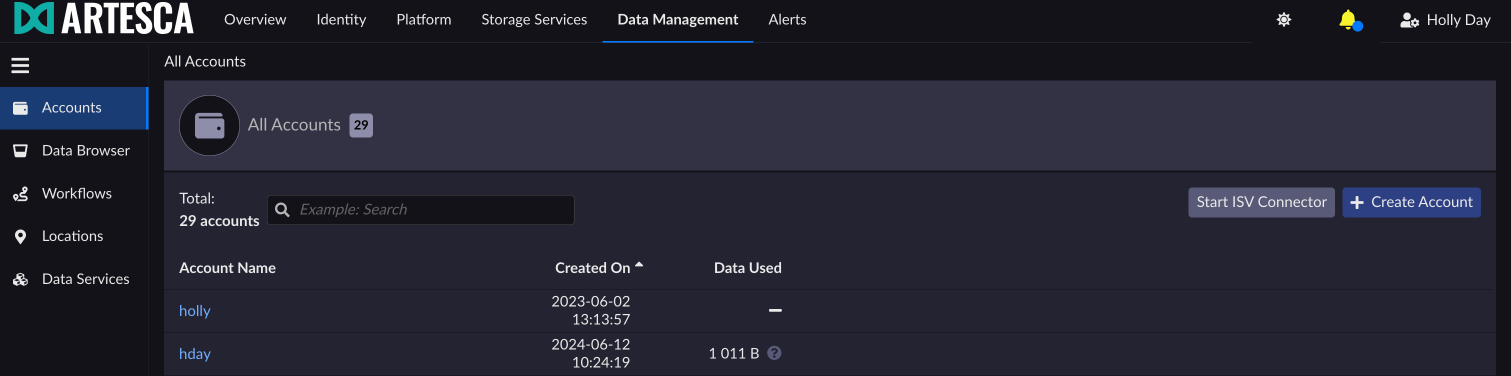
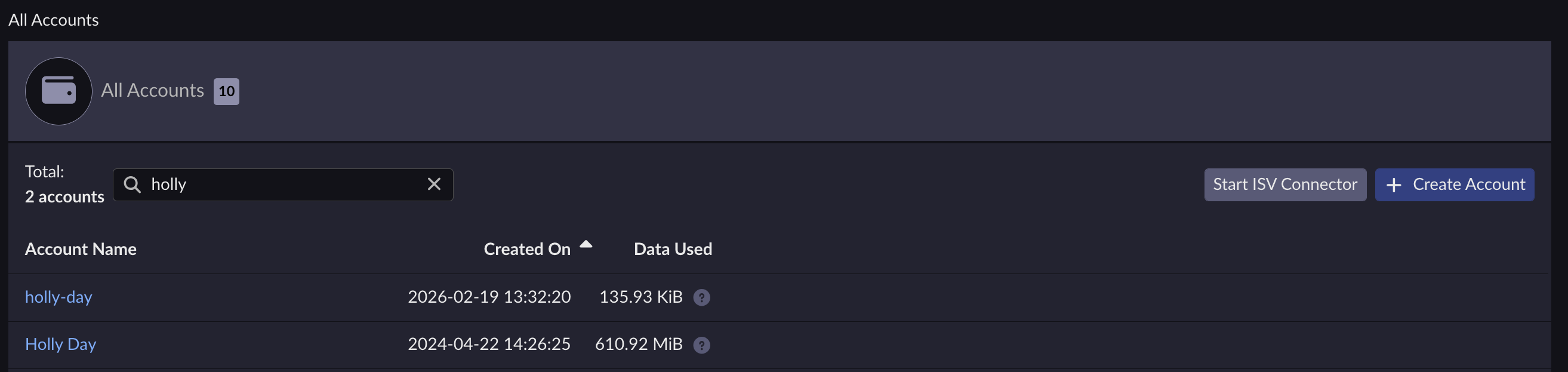
Select the account you want to list policies for.
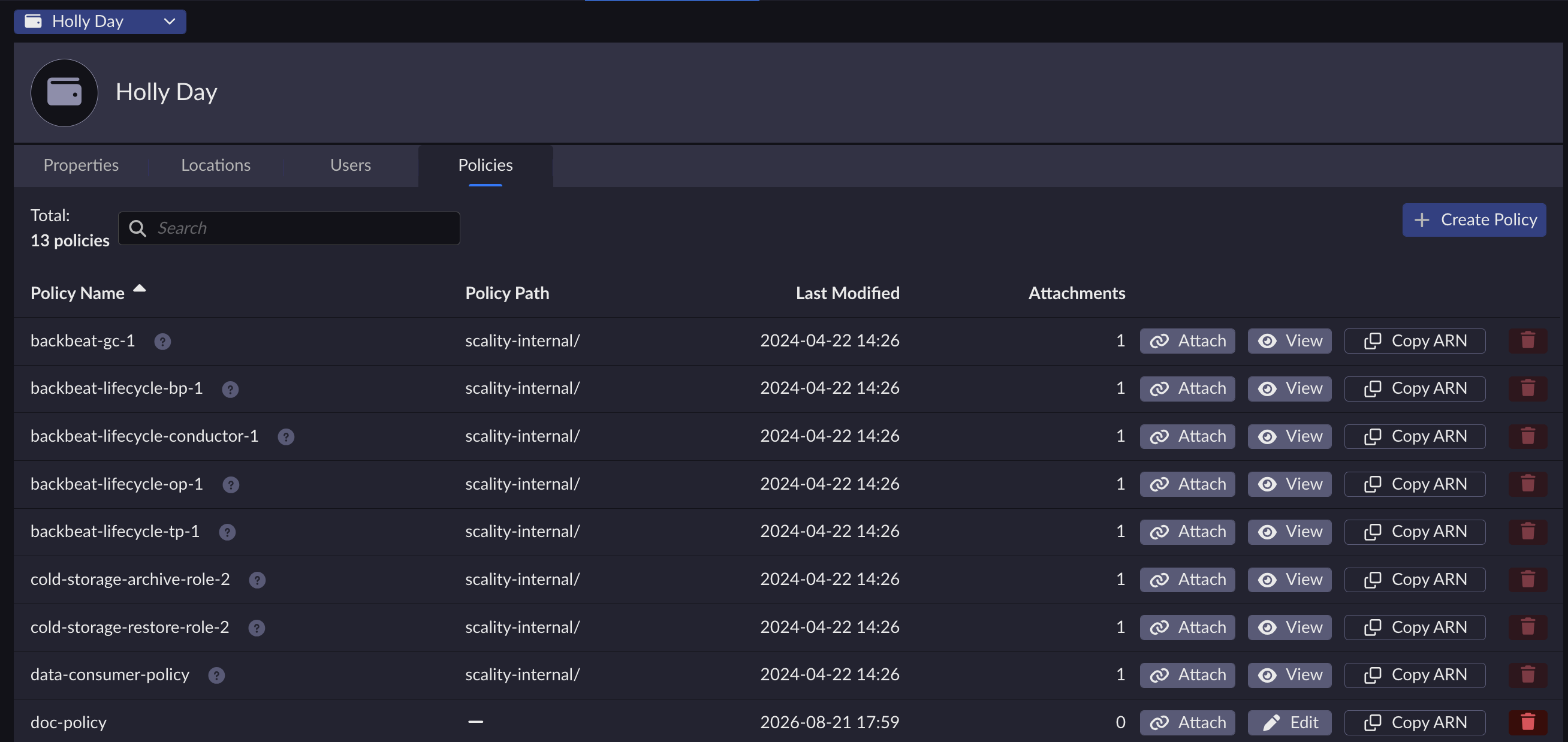
Under the Policies tab, you can see the list of policies within your account.
Run the following command:
aws --endpoint-url https://iam.<base-domain-name> iam list-policies
{
    "Marker": "AAIWFnoA2MQ9zN9nnTorukxr1uesDIDa4u+q1mEfaurCDZ1AuCYagYfayKYGvu75BEGk8PooPsw5uvumkuizFACZ8f4rKtN1RuBWiVDBWet2OA==",
        "IsTruncated": true,
        "Policies": [
        {
                "PolicyName": "AdministratorAccess",
                "CreateDate": "2015-02-06T18:39:46Z",
                "AttachmentCount": 5,
                "IsAttachable": true,
                "PolicyId": "ANPAIWMBCKSKIEE64ZLYK",
                "DefaultVersionId": "v1",
                "Path": "/",
                "Arn": "arn:aws:iam::aws:policy/AdministratorAccess",
                "UpdateDate": "2015-02-06T18:39:46Z"
              },
              {
                "PolicyName": "ASamplePolicy",
                "CreateDate": "2015-06-17T19:23;32Z",
                "AttachmentCount": "0",
                "IsAttachable": "true",
                "PolicyId": "Z27SI6FQMGNQ2EXAMPLE1",
                "DefaultVersionId": "v1",
                "Path": "/",
                "Arn": "arn:aws:iam::123456789012:policy/ASamplePolicy",
                "UpdateDate": "2015-06-17T19:23:32Z"
              }
        ]
}


