

Restore Objects
You must restore the objects stored in a cold backend before accessing them. For more information, refer to the Restore Object API reference.
Note
In ARTESCA, the storage class represents the storage location.
Prerequisites
You must have permissions to perform the
s3:RestoreObjectaction.The object to restore must be archived in the Cold Storage.
Restore an Archived Copy of an Object back to ARTESCA
Navigate to the bucket that contains the object that has transitioned to a cold location, and select the object.
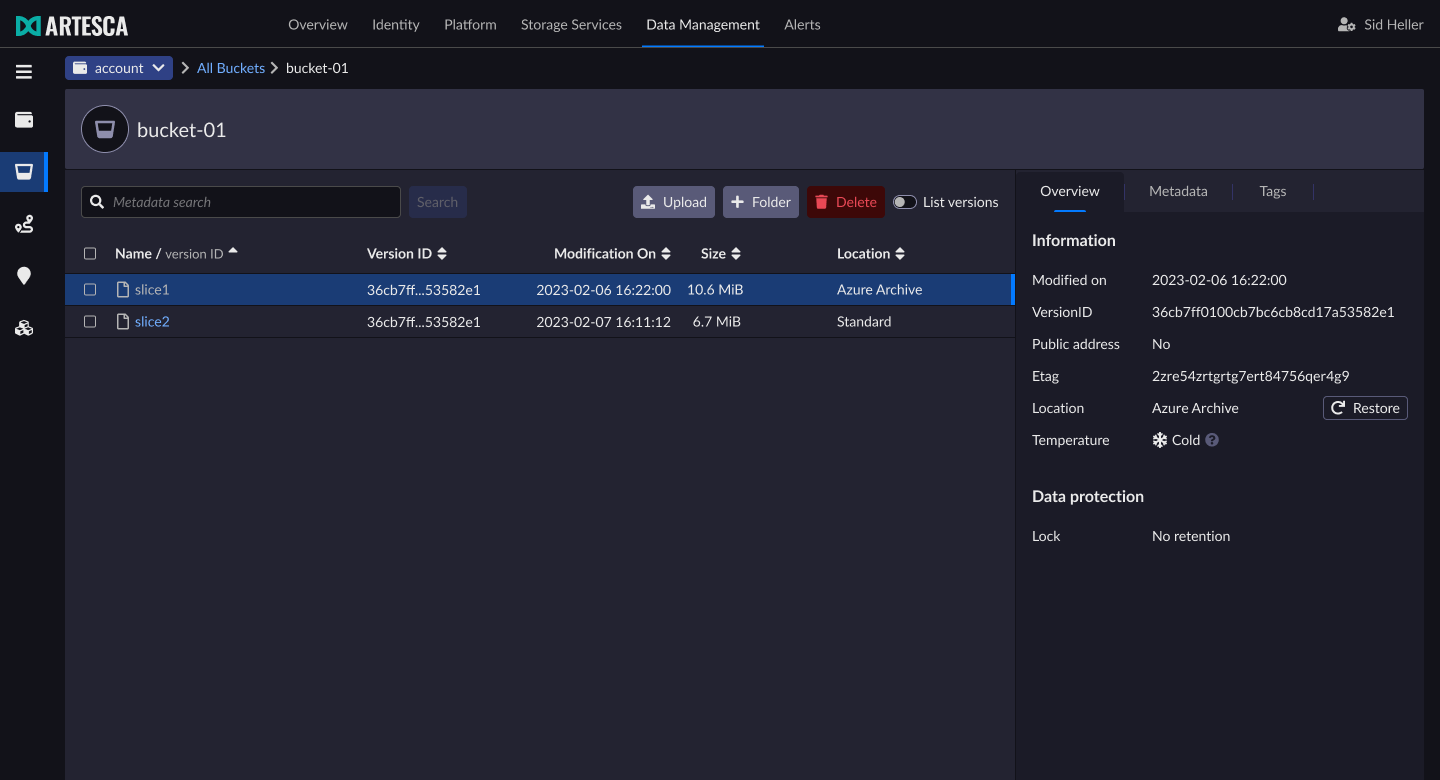
Click Restore from the Overview tab.
In the the Restore Object dialog, select the number of days that you want the object to be restored. Click Start Restoration. This will a create a temporary copy of the object for the number of days you set.
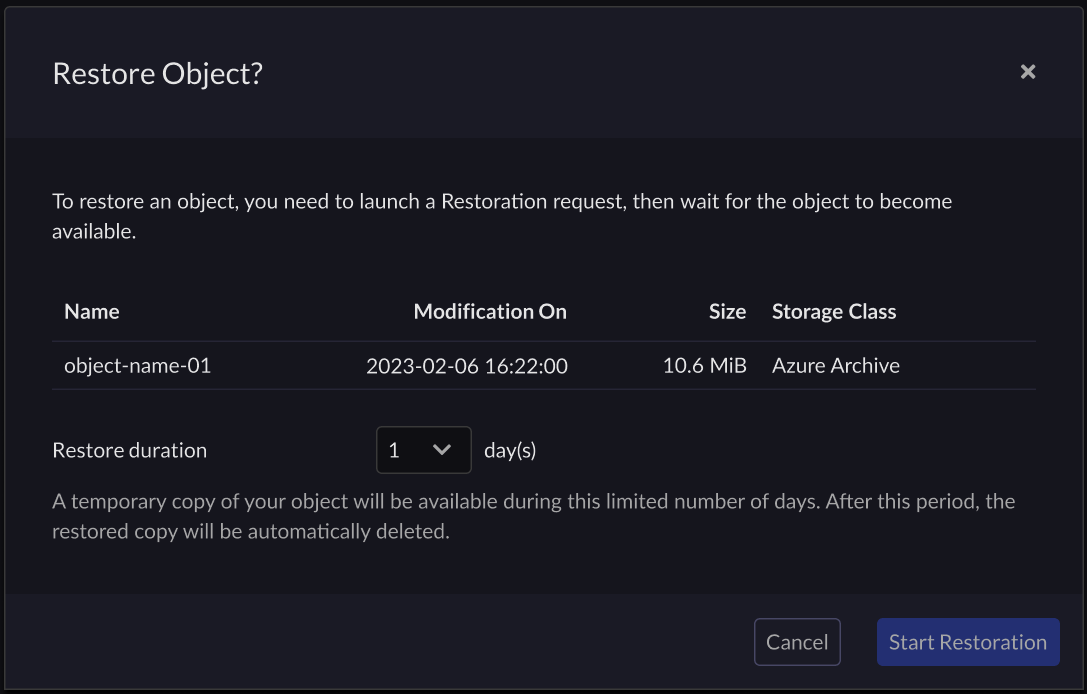
The length of time to wait for the restoration depends on your cold storage settings. Once restored, the copy of the object is available for the number of days you specified.
Note
To restore an object from a cold location, the bucket must either:
Have at least one active transition workflow to either the same location or another.
Have at least one transition workflow to a cold location (it does not have to be active).
Create a restore request for an object using the AWS CLI.
aws --endpoint-url https://s3.<base-domain-name> s3api restore-object \
--bucket <value> \
--key <value> \
[--version-id <value>] \
--restore-request Days=<Value>[,Tier=<Value>]
Where:
--bucket: The bucket name containing the object to restore.--key: Object key for which the action was initiated.--version-id(optional): To restore a specific object version, you can provide a version ID. ARTESCA restores the current version by default.--restore-request Days: The duration (in days) for the active copy to be restored.--restore-request Tier(optional):Standardby default. Other tiers are not supported.


