

Remote Users and Groups
A User that has been synchronized from a LDAP integration will be displayed as Remote.
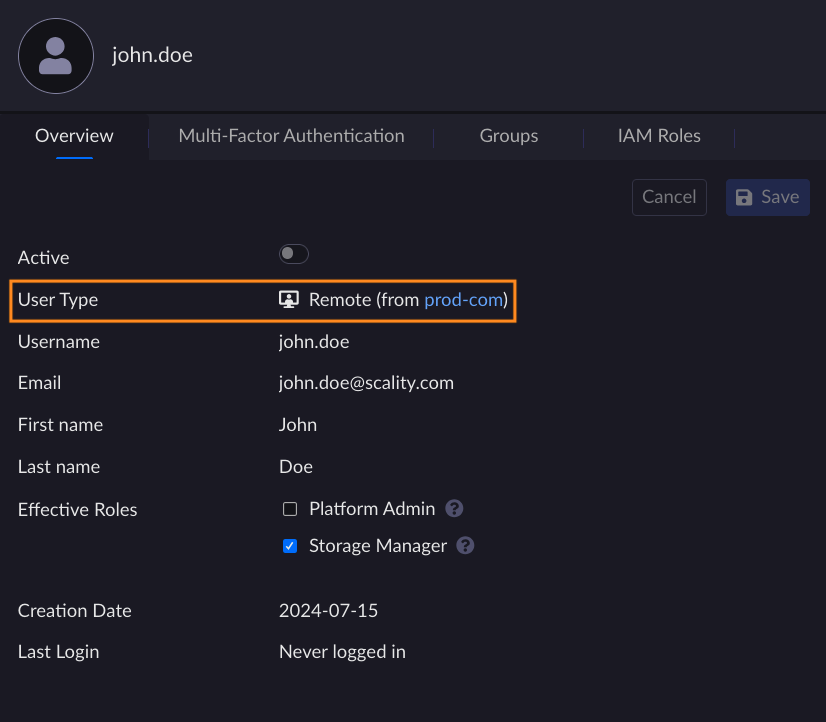
Remote Users cannot be edited or deleted from the User Management page. The only actions that can be done on a specific remote User or Group are:
Mapping of Role
MFA Management
Remote Users
An imported remote user can be directly mapped to an ARTESCA role. It is also possible to add MFA settings.
Once a change concerning a remote user has been done on the ARTESCA side, this change will be visible in the user list even if the IdP is deactivated.
Important
The user will be removed if:
The LDAP provider is removed from ARTESCA.
The user is deleted on the LDAP server, and a Sync all or Drop synced user action is performed on ARTESCA UI
Delete Remote Groups
Note
A deleted remote group in LDAP will not be deleted in ARTESCA. A remote group is not removed when IdP is deleted.
It is possible to delete a remote group from the ARTESCA UI. To do so, follow these steps:
Click Identity on the top menu and go to Groups on the sidebar menu.
Select the remote group you want to delete from the list.
Click Delete.
If a Group still exists in the AD/LDAP database, it will be sync with ARTESCA right after its deletion.
When a group is renamed in LDAP, it will create a new remote Group entry in ARTESCA group list. You can delete the old group manually but this is not mandatory as it will not be used anymore.


