

Edit a Storage Location
Click Data Management on the top menu.

Click Locations in the left sidebar to view the list of storage locations.
Find the storage location you want to edit, and click the edit icon.

On the Edit Storage Location dialog box, edit the available fields.
Important
You cannot edit the location’s name or type.
Depending on the location type, you can edit access and secret keys, the target bucket name, and the features and advanced options that are available. Refer to Cloud Storage Locations for more information.
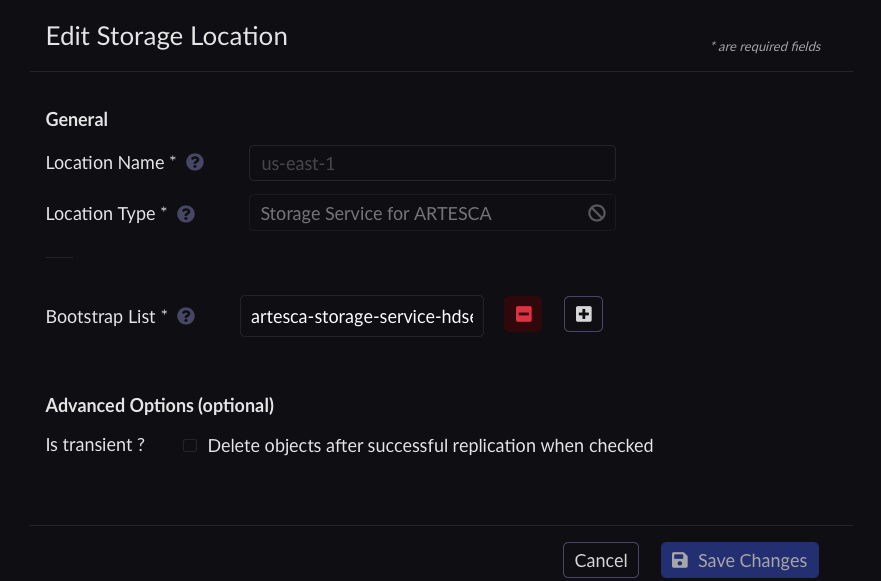
Click Save Changes. You are redirected to the Locations view.
Retrieve tokens and instance ID as described in Retrieve Access Tokens.
Edit a Scality RING with S3 Connector location.
Set the location name.
[artesca-os@bootstrap ~]$LOCATION_NAME="<name of the location>"
Scality RING with S3 Connector location is
location-scality-ring-s3-v1.[artesca-os@bootstrap ~]$LOCATION_TYPE="location-scality-ring-s3-v1"
Set the required credentials Access Key and Secret Key.
[artesca-os@bootstrap ~]$RING_ACCESS_KEY="<RING account or user access key>" RING_SECRET_KEY="<RING account or user secret key>"
Set the Scality RING with S3 Connector target bucket name.
Note
This is the name of the versioning-enabled bucket in Scality RING with S3 Connector.
[artesca-os@bootstrap ~]$RING_BUCKET_NAME="<RING versioned bucket name>"
Set the new Scality RING with S3 Connector endpoint.
[artesca-os@bootstrap ~]$RING_ENDPOINT="<New Ring S3C endpoint>"
Set the ID of the location to be updated.
[artesca-os@bootstrap ~]$LOCATION_ID="<location id>"
[artesca-os@bootstrap ~]$LOCATION_PARAMS=$( echo '{}' | jq -c " .name=\"${LOCATION_NAME}\" | .locationType=\"${LOCATION_TYPE}\" | .objectId=\"${LOCATION_ID}\" | .details.bucketMatch="false" | .details.accessKey=\"${RING_ACCESS_KEY}\" | .details.secretKey=\"${RING_SECRET_KEY}\" | .details.bucketName=\"${RING_BUCKET_NAME}\" | .details.endpoint=\"${RING_ENDPOINT}\" | .details.region=\"us-east-1\" " )
Note
If you have changed the default domain of your ARTESCA installation, you must reflect that change in the following command.
[artesca-os@bootstrap ~]$curl -s -k -X PUT \ -H "X-Authentication-Token: ${TOKEN}" \ -H "Content-Type: application/json" \ -d "${LOCATION_PARAMS}" \ "https://management.<base-domain-name>/api/v1/config/${INSTANCE_ID}/location/${LOCATION_NAME}" | \ jq '.'


