

Delete an S3 Endpoint
Click Data Management on the top menu.
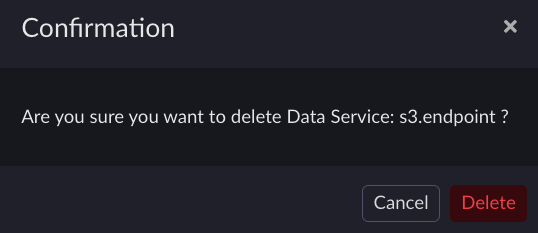
From the Data Services page, click the trash can icon next to the endpoint you want to delete to open the Confirmation dialog box.

Click Delete to confirm the deletion. The Deleting Data Service message displays.
Wait for the Deleting Data Service message to disappear and check that the deleted endpoint is no longer listed.

Retrieve tokens as described in Retrieve Access Tokens.
Retrieve the list of all endpoints and hostnames.
[artesca-os@bootstrap ~]$sudo kubectl --kubeconfig=/etc/kubernetes/admin.conf \ -n zenko get zenkoconfigurationoverlay -o \ jsonpath='{.items[-1].spec.s3API.endpoints[*]}' \ --sort-by='{.metadata.creationTimestamp}'
Select the hostname to delete.
[artesca-os@bootstrap ~]$HOSTNAME="hostname to delete"
Send a delete request to the management API.
Note
If you have changed the default domain of your ARTESCA-installation, you must reflect that change in the following command.
[artesca-os@bootstrap ~]$curl -s -k -X DELETE -H "X-Authentication-Token: ${TOKEN}" \ "https://management.<base-domain-name>/api/v1/config/${INSTANCE_ID}/endpoint/${HOSTNAME}"
Check that the endpoint has been deleted.
[artesca-os@bootstrap ~]$sudo kubectl --kubeconfig=/etc/kubernetes/admin.conf -n zenko \ get zenkoconfigurationoverlay -o \ jsonpath='{range .items[-1].spec.s3API.endpoints[*]}{}{"\n"}{end}' \ --sort-by='{.metadata.creationTimestamp}'


