Elasticsearch
Elasticsearch is a distributed, RESTful search and analytics engine built on Apache Lucene. It provides a distributed, multitenant-capable full-text search engine with an HTTP web interface, and schema-free JSON documents. Elasticsearch supports ARTESCA as a custom repository for tiering index data, and for snapshot and restore operations.
Prerequisites
ElasticSearch with version 8.17 or greater is installed. ARTESCA version 2.2.4 or greater is installed.
Preliminary Considerations
ElasticSearch needs to be able to reach the ARTESCA server through the s3.<your_artesca_domain>.com address. ARTESCA is configured to return S3 API replies.
The steps to achieve this will vary according to your setup.
For example: adding the domain name to ElasticSearch’s /etc/hosts file.
Create a bucket that will be used for the repository
Create a user with the appropriate privileges to store data on it, with its own set of Access/Secret keys.
The recommended IAM policy recommended by ElasticSearch:
{
 "Statement": [
     {
         "Action": [
             "s3:GetBucketLocation",
             "s3:ListBucketMultipartUploads",
             "s3:ListBucketVersions",
             "s3:GetObject",
             "s3:PutObject",
             "s3:DeleteObject",
             "s3:AbortMultipartUpload",
             "s3:ListMultipartUploadParts"
         ],
         "Effect": "Allow",
         "Resource": [
             "arn:aws:s3:::bucketname"
         ]
     },
     {
         "Action": [
             "s3:ListBucket"
         ],
         "Effect": "Allow",
         "Resource": [
             "arn:aws:s3:::bucketname/*"
         ]
     }
 ],
 "Version": "2012-10-17"
}
Certificates and Credentials
Download ARTESCA’s CA Root certificate. It can be found in ARTESCA’s UI top bar menu.

Copy the downloaded file over to the server.
Use the
keytoolcommand located in the bundled JDK from Elasticsearch located in/usr/share/elasticsearch/jdk/bin/.sudo /usr/share/elasticsearch/jdk/bin/keytool -keystore /usr/share/elasticsearch/jdk/lib/security/cacerts -storepass changeit -noprompt -trustcacerts -importcert -alias artesca -file /home/scality/artesca-ca.crt
Add the Access and Secret keys created for the user using the
elasticsearch-keystorecommand located in/usr/share/elasticsearch/bin/.sudo /usr/share/elasticsearch/bin/elasticsearch-keystore add s3.client.default.access_key sudo /usr/share/elasticsearch/bin/elasticsearch-keystore add s3.client.default.secret_key
Note
For security, the characters entered will not be echoed on the screen.
Reload Security Settings
Secure settings are stored in an on-disk keystore. Some of these settings can be reloaded. By reloaded, it is meant that you can change them on disk and reload them without restarting any nodes in the cluster. To do so:
Reload the secure settings in your keystore.
Use this API to reload those settings on each node.
POST _nodes/reload_secure_settings
Storage Profile
Elasticsearch uploads index data using compression. The size of objects directly correlates to the size of the index. Objects are uploaded as multipart uploads.
Performance Tuning
The following throttling parameters can be set at the repository level for snapshot and restore:
Max snapshot bytes per second:
The maximum snapshot creation throughput per Elasticsearch node per second defaults to 40mb.
Max restore bytes per second:
The maximum number of bytes that can be restored to a single-node per second defaults to 40mb.
Chunk size
During snapshot creation, a large index is divided into multiple parts. This parameter specifies the maximum size of each part. Example values: 1g, 10m, and 5k. Default value: null.
Adding ARTESCA as a Repository
Using the Elasticsearch console, input the following statement:
PUT _snapshot/artesca_repository
{
  "type": "s3",
  "settings": {
    "bucket": "elastic",
    "client": "default",
    "endpoint": "s3.artescalab.com:443",
    "path_style_access": "true"
  }
}
If successful, you should get a reply like the following:
{
   "acknowledged" : true
}
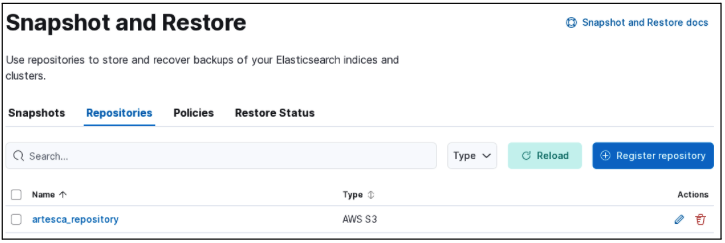
The repository created, viewed on the Kibana UI.
Create a Snapshot Manually
Run a snapshot creation manually by invoking _snapshot API:
PUT /_snapshot/<repo-name>/<snapshot-name>?wait_for_completion=true
{
  "indices": "index_1,index_2",
  "ignore_unavailable": true,
  "include_global_state": false,
  "metadata": {
    "taken_by": "user123",
    "taken_because": "backup before upgrading"
  }
}
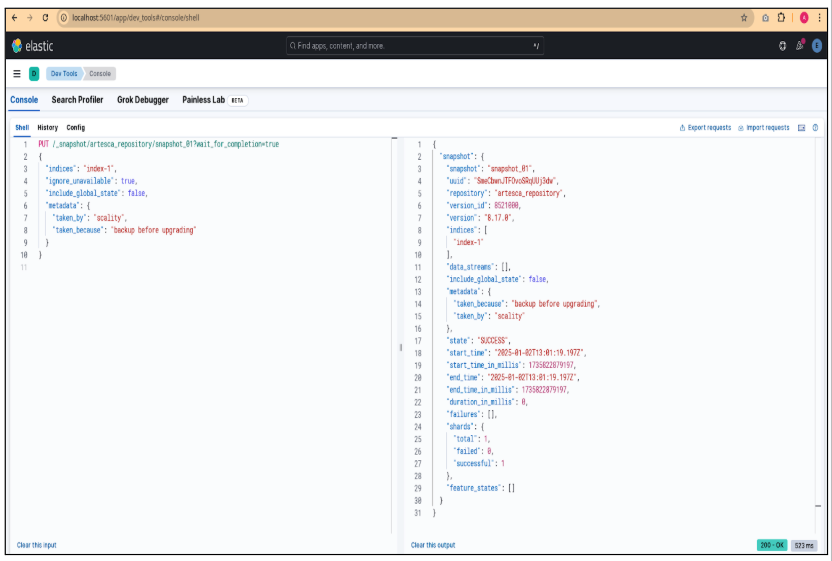
PUT /_snapshot/artesca_repository/snapshot_1?wait_for_completion=true
{
  "indices": "index-1",
  "ignore_unavailable": true,
  "include_global_state": false,
  "metadata": {
    "taken_by": "scality",
    "taken_because": "backup before upgrading"
  }
}
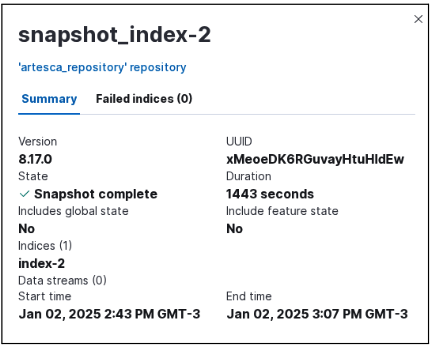
Snapshot of 60GB index:

Create a Backup Policy
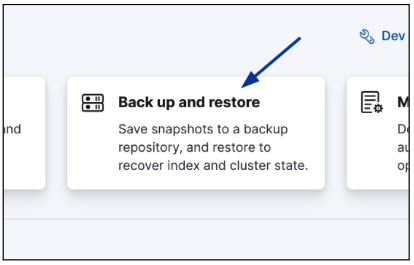
On the Kibana’s home page, scroll down and click Backup and restore.
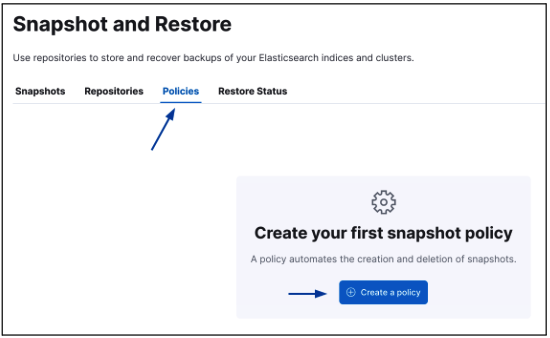
On the page that appears, select the Policies tab, and click Create a policy.
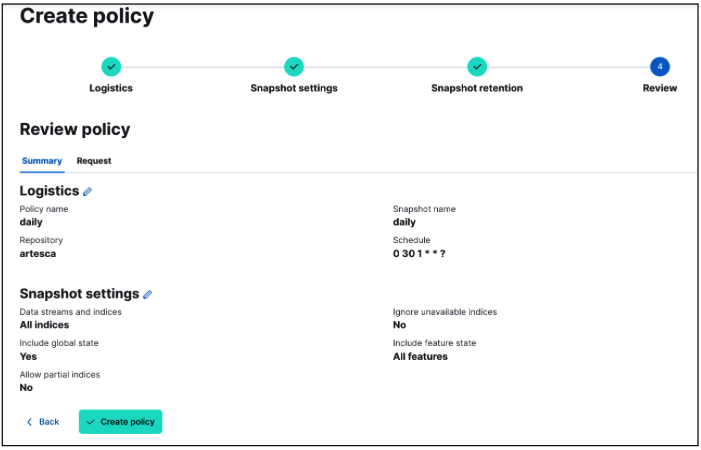
Create a policy according to your needs. Be sure to select the ARTESCA repository you created as the destination for the snapshot files. We create a default daily policy here as an example.
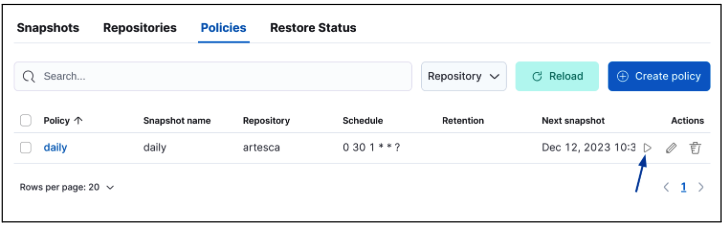
Your newly created policy will appear. You can try a first test run to verify it is working correctly by clicking Play.
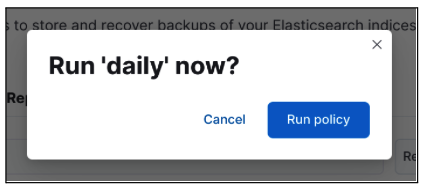
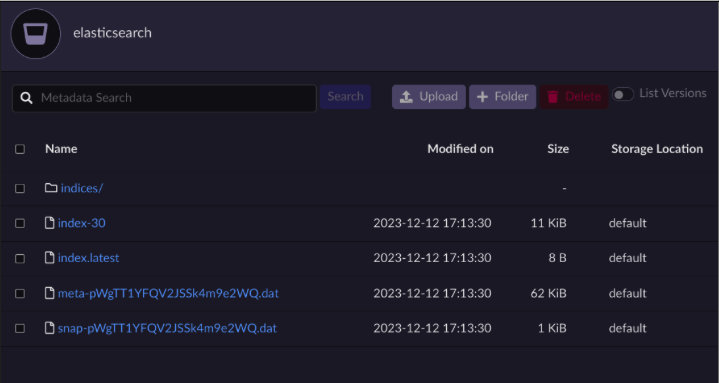
You should now see your ARTESCA bucket populated with data as the policy runs.
Index Lifecycle Policies
To make use of the cold and frozen tiers for indices:
Create a bucket, and set up a repository as previously shown.
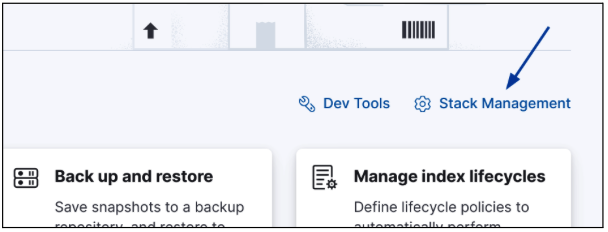
Navigate to the Kibana’s home page, and click Stack Management.
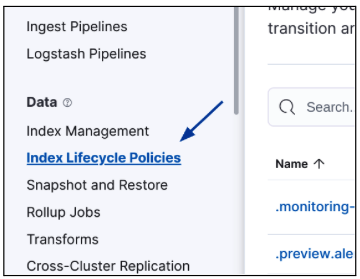
Click Index Lifecycle Policies on the navigation bar.
Create a new policy, and set up time periods for each stage. The repository is only used on the Cold and Frozen tiers.
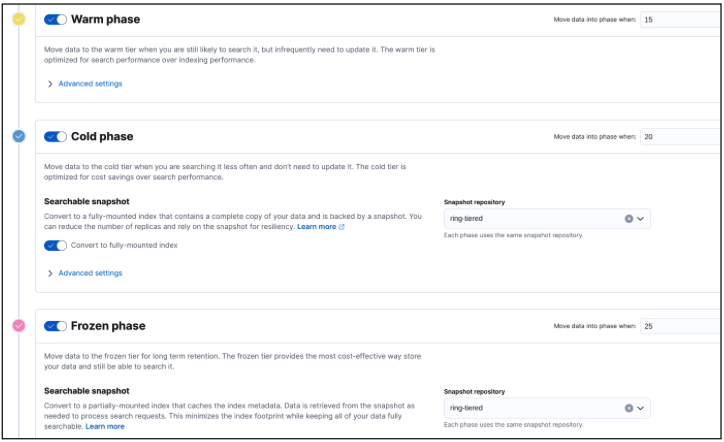
Save the policy.
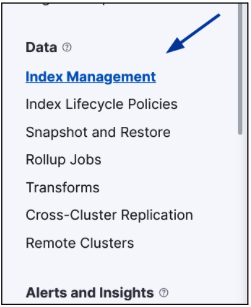
Click Index Management on the left navbar.
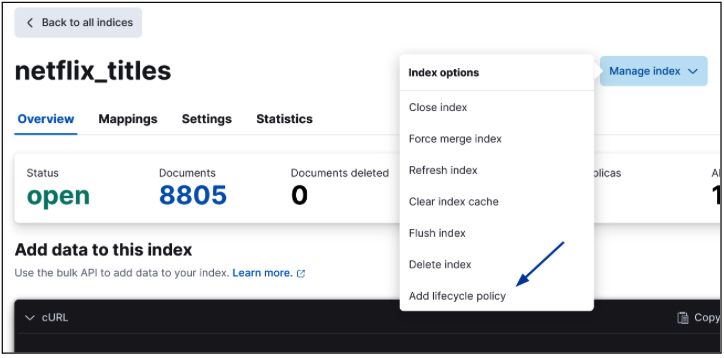
Click the Index options, then click and click Add lifecycle policy.
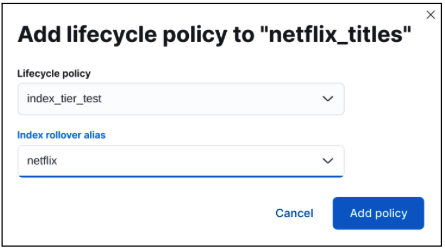
Select the policy just created. Click Add policy to add the index.
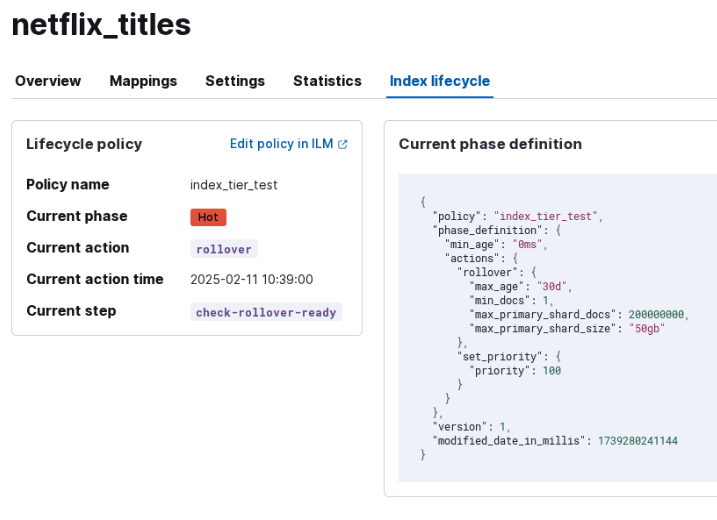
After the index is added, a new section displaying the lifecycle properties of the index is presented.